Note: In the following instructions, <CR> means using the Enter Key on the keyboard.
1. Connect and verify connectivity with the device.
a. Connect the PC connector to the device.
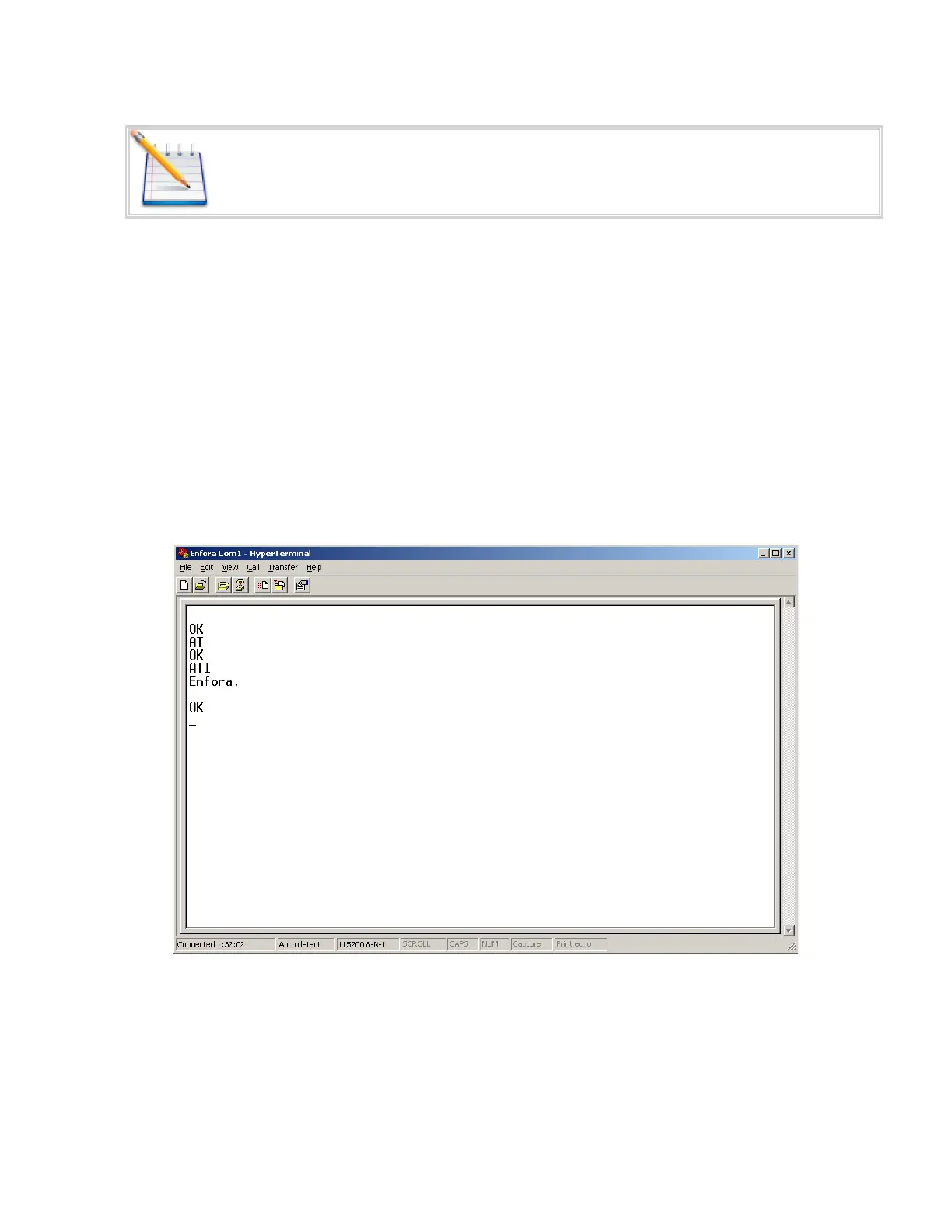
b. With HyperTerminal open, hit the Enter key. The device should respond with OK. If you do not
see this response, double-check your connections. If the connections seem correct, disconnect
the MT 3000 from the computer and perform a serial loop-back test.
c. Type AT<CR>. The device should respond with OK.
i. If you do not see the letters AT, send the following command to the device:
ii. ATE1<CR>
d. Type ATI<CR>. The device should respond with Enfora, Inc. If you get any different response,
you are not connected to the Enfora device. See Figure: 19 - "ATI Response"
Figure: 19 - ATI Response
2. Configure the device to communicate with the Enfora Test Server.
a. The following information will need to be obtained from the SIM provider. Please refer to
GSM0000AN019 – Network Configuration Worksheet.
- 25 -


 To Next Page