THE LEADER IN LONG RANGE BUSINESS CLASS WIRELESS DATA
www.engeniustech.com
EnGenius Technologies 1580 Scenic Avenue • Costa Mesa, CA 92626, USA • 888.735.7888
ECB300 - Technical Specifications
HARDWARE SPECIFICATIONS
RF SPECIFICATIONS
SOFTWARE SPECIFICATIONS
Topology Infrastructure/Ad-Hoc
Operation Mode Access Point/Client Bridge/Universal Repeater/WDS Bridge/WDS AP/AP Router
Multiple BSSID Supports up to 4 BSSIDs
LAN IP (check validity and DHCP server IP range)
DHCP Server DHCP range, lease time, client list
VLANs
Supports 802.1q (up to 4 VLANs)
SSID to VLAN mapping
Spanning Tree Supports 802.1d Spanning Tree Protocol
Wireless
Wireless mode: 11b/11g/11n
Channel selection (setting varies by country)
Channel bandwidth (Auto, 20MHz, 40MHz)
Transmission rate: 11n only, 11b/g/n mix, 11b only, 11b/g, 11g only
VPN VPN pass-through (PPTP, L2TP, IPSEC)
QoS WMM
WPS Software only
Security
WEP Encryption - 64/128 bit
WPA Personal (WPA-PSK using TKIP or AES)
WPA Enterprise (WPA-EAP using TKIP)
802.1x Authenticator
SSID broadcast enable/disable
WLAN MAC Address Filter
WLAN L2 isolation (AP mode)
Wireless STA (Client) connected list (Idle/Connection Time, Pkt statistics)
ENVIRONMENT & PHYSICAL
Temperature Range
Operating: 0 to 50° C (32° to 122° F)
Storage: -20 to 60° C (-4° to 140° F)
Humidity (non-condensing)
Operating: 90% or less
Storage: 90% of less
Dimensions L: 5.32”(135mm), W: 4.14”(105mm), H: 1.18”(30mm)
Weight 0.77 lb. (280g)
Certifications FCC, CE, IC
MANAGEMENT
Tx Power Control Adjust transmit power by dBm
Configuration Web-based configuration (HTTP)/Telnet
Telnet Server CLI
Firmware Upgrade Upgrade firmware via web browser
Administrator Setting Administrator Username & Password change
Reset Setting Reboot (press 1 second). Reset to Factory Default (press 10 second)
System Monitoring Status Statistic and Event log
SNMP V1 , V2c
MIB MIB I , MIB II, and Private MIB
Traffic Measurement Per interface
Auto-channel Selection Automatically selecting least congested channel
Bandwidth Measurement IP range and bandwidth management
Backup & Restore Save & restore settings through Web interface
Diagnosis IP pinging statistics
AP Detection Scanning for available EnGenius APs
MCU/RF RTL8196C + RTL8192CE
Memory 32 MB
Flash 4 MB
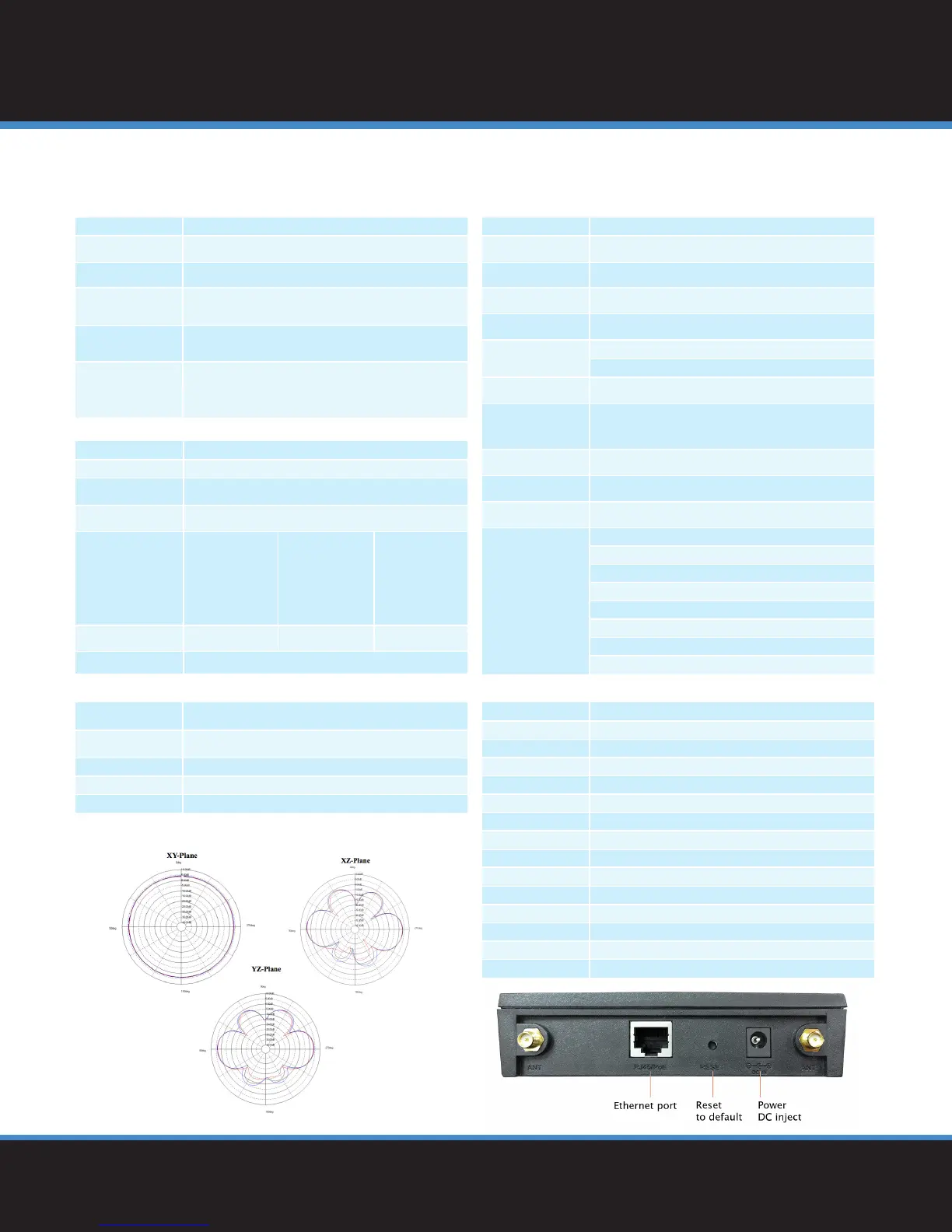
Physical Interface
LAN: 1 x 10/100 Fast Ethernet (RJ-45) port
Reset Button
Power Jack
LED Indicators
Power/Status
LAN (10/100Mpbs)
WLAN (Wireless connection)
Power requirement
Power Supply: 90 to 240 VDC ± 10%, 50/60 Hz
(Depends on different countries)
Active Ethernet (Power over Ethernet, IEEE802.3af)
48 VDC/0.375A
Device: 12V/1A
Wireless standard IEEE802.11 b/g/n
Frequency 2.400 ~ 2.484GHz (b/g/n)
Modulation Technology
OFDM: BPSK, QPSK, 16-QAM, 64-QAM
DBPSK, DQPSK, CCK
Operating Channels 11 channels
Transmit Power
802.11b (2.412~2.47GHz)
29 dBm @ 1Mbps
29 dBm @ 2Mbps
29 dBm @ 5.5Mbps
29 dBm @ 11Mbps
802.11g ( 2.412~2.47GHz)
29 dBm @ 6Mbps
29 dBm @ 9Mbps
28 dBm @ 12Mbps
28 dBm @ 18Mbps
24 dBm @ 24Mbps
24 dBm @ 36Mbps
23 dBm @ 48Mbps
23 dBm @ 54Mbps
802.11n(2.412~2.47GHz)
26 dBm @ MCS0/MCS8
26 dBm @ MCS1/MCS9
25 dBm @ MCS2/MCS10
25 dBm @ MCS3/MCS11
24 dBm @ MCS4/MCS12
24 dBm @ MCS5/MCS13
23 dBm @ MCS6/MCS14
23 dBm @ MCS7/MCS15
Receiver Sensitivity
802.11b (2.412 ~ 2.472
GHz) best ≤ -98 dBm
802.11g (2.412 ~ 2.472
GHz) best ≤ -93 dBm
802.11n (2.412 ~ 2.472
GHz) best ≤ -93 dBm
Antenna
2x external 5dBi SMA antennas (Diversity support)
Antenna Radiation Patterns ——— 2400 [MHz]
——— 2450 [MHz]
——— 2500 [MHz]


 To Previous Page
 Loading...














