15
2.2. Wall Mount
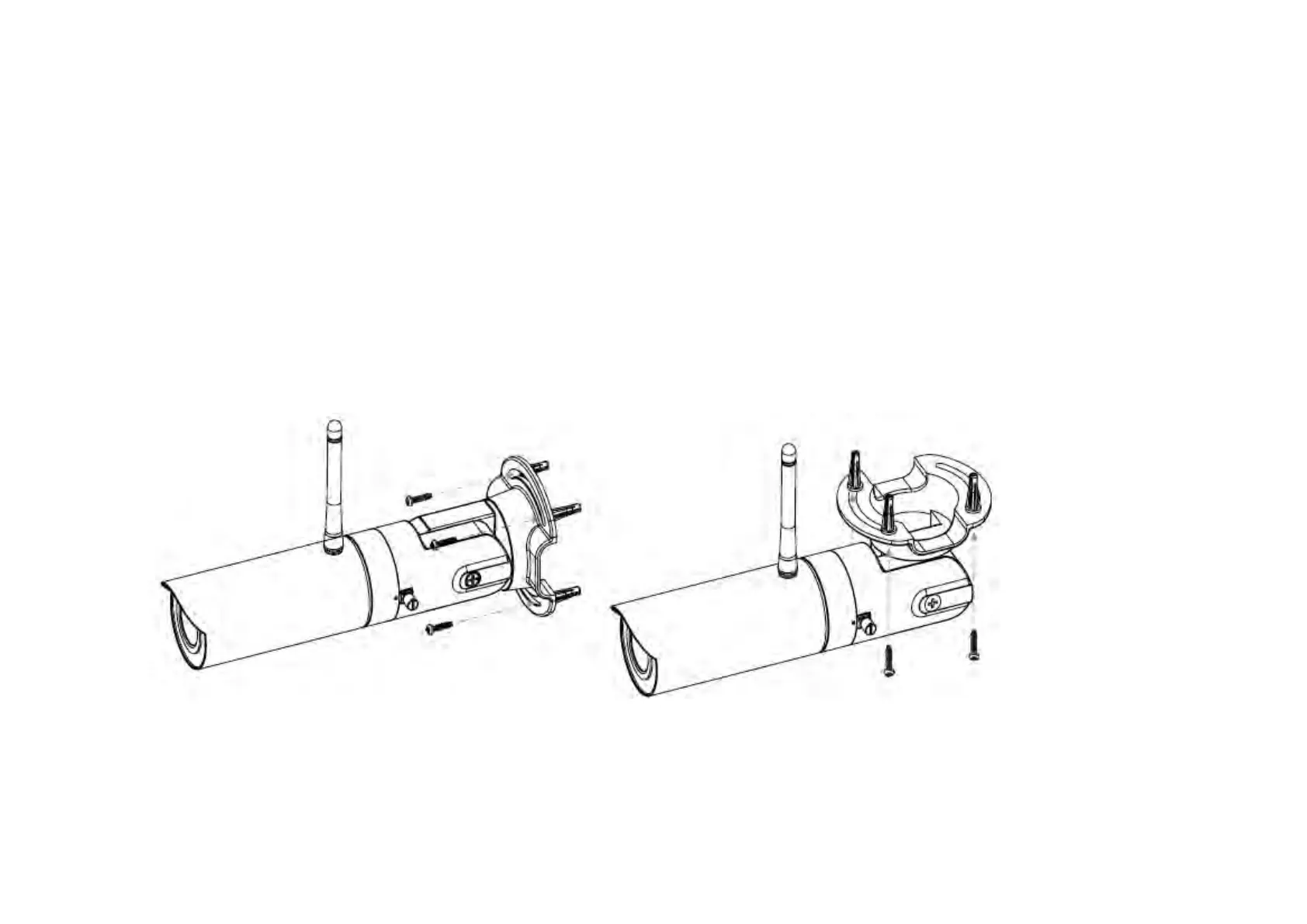
Locate an area on the wall and make sure the area is capable of supporting the weight of camera.
Mark and drill pilot holes aligning to the screw holes at the base of mounting bracket.
Insert the plastic anchors into the pilot holes, and align the holes at the base of the bracket with plastic anchors.
Once aligned, insert the provided screws through the holes at the base of camera bracket and ensure the cable is seated in the cable
channel. Screw and tighten the bracket in place.


 To Next Page