18
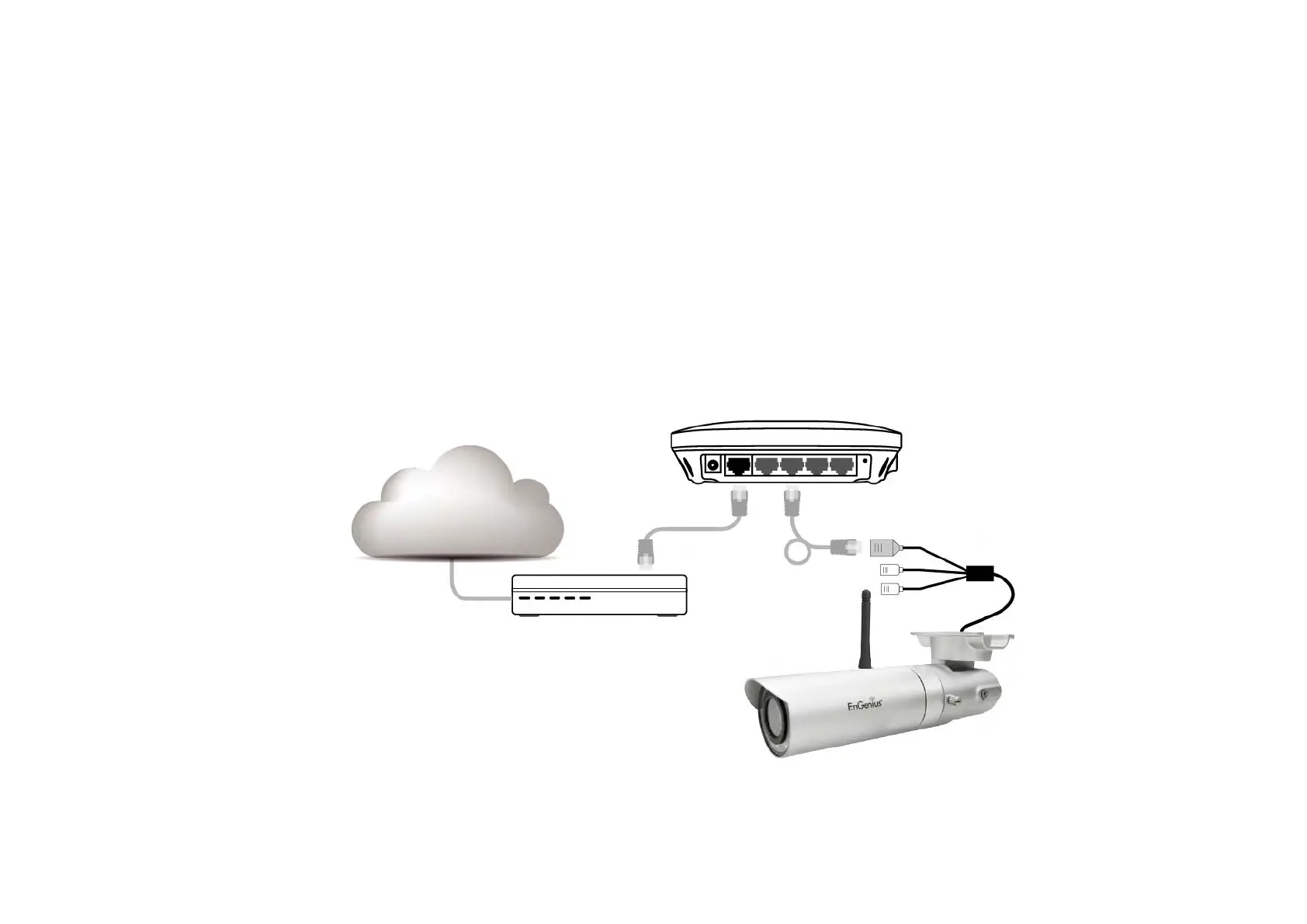
2.3.1. Connecting via Ethernet Cable
Connect the camera to the router on the LAN ports with a network RJ45 Ethernet cable (shown below). You may use the cable that came
with the package for initial setup; however, you may be required to switch to wireless setting or purchase a longer cable to extend the camera
for longer range. As a rule of thumb, if your camera is close enough to the router use Ethernet cable if possible for optimized result; and for
wall mount installation, it’s best to adopt wireless setup. You can choose either way for the application you find suitable.


 To Next Page