84
5.5.3. UPnP
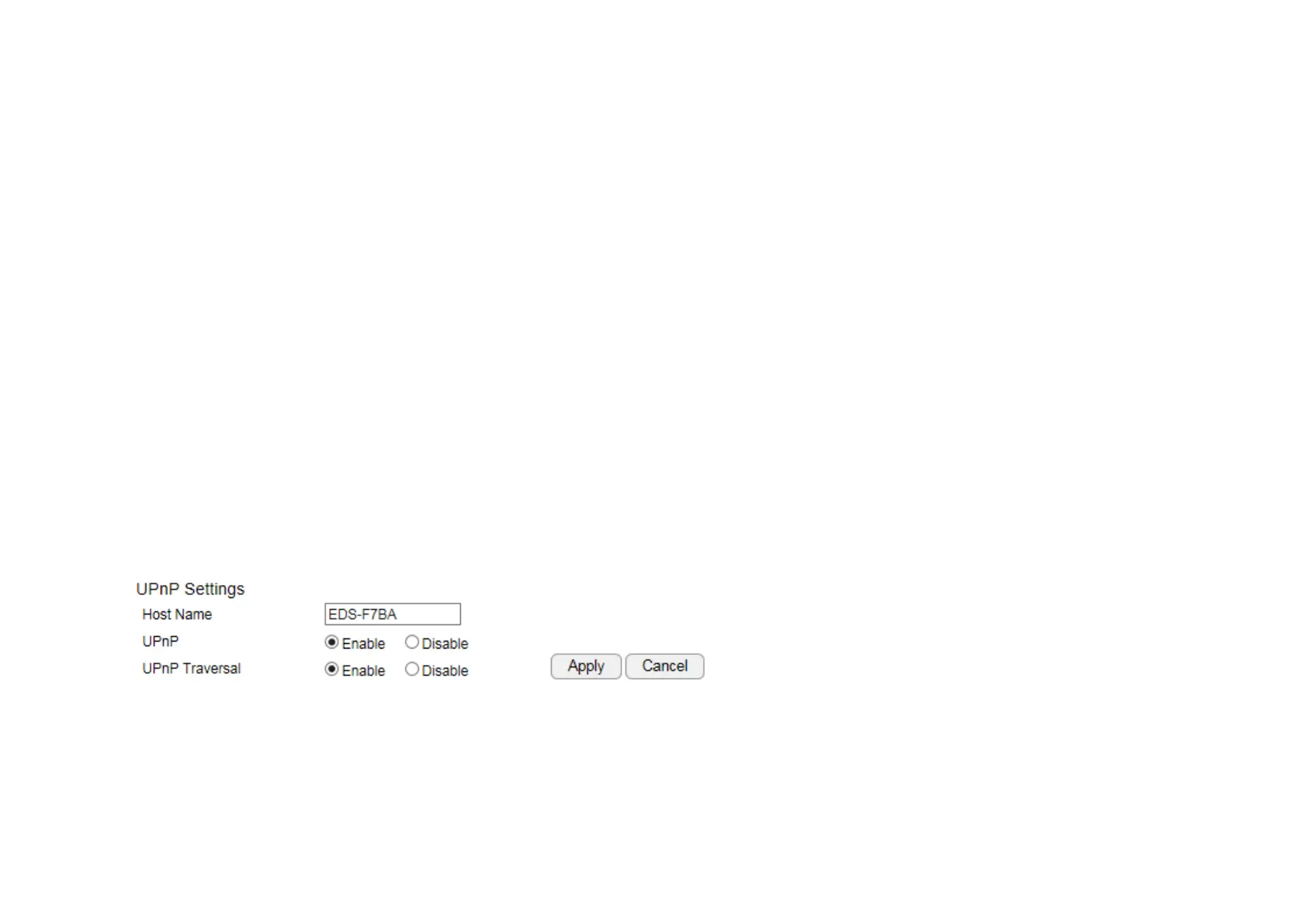
Universal Plug and Play (UPnP) allows the other device to detect the presence of the camera so that communication become possible. You
should enable UPnP if you wish your camera to be recognized by your router. UPnP Traversal makes camera remote access over the Internet
possible using camera DDNS name. You won’t be able to access the camera if you disable UPnP feature. Please keep it Enable if you are not
sure.
Hostname: You may rename your camera to other meaningful names such as storage room, lobby, or any other descriptions you find suitable
to describe the space being monitored.
UPnP: Enable or Disable
UPnP Traversal: Enable or Disable
Click Apply when configuration is done to activate new settings.


 To Next Page