EasyManua.ls Logo

EnGenius EDS5255 - Page 56

EnGenius EDS5255
166 pages
Print Icon
To Next Page IconTo Next Page
To Previous Page IconTo Previous Page
Loading...
55
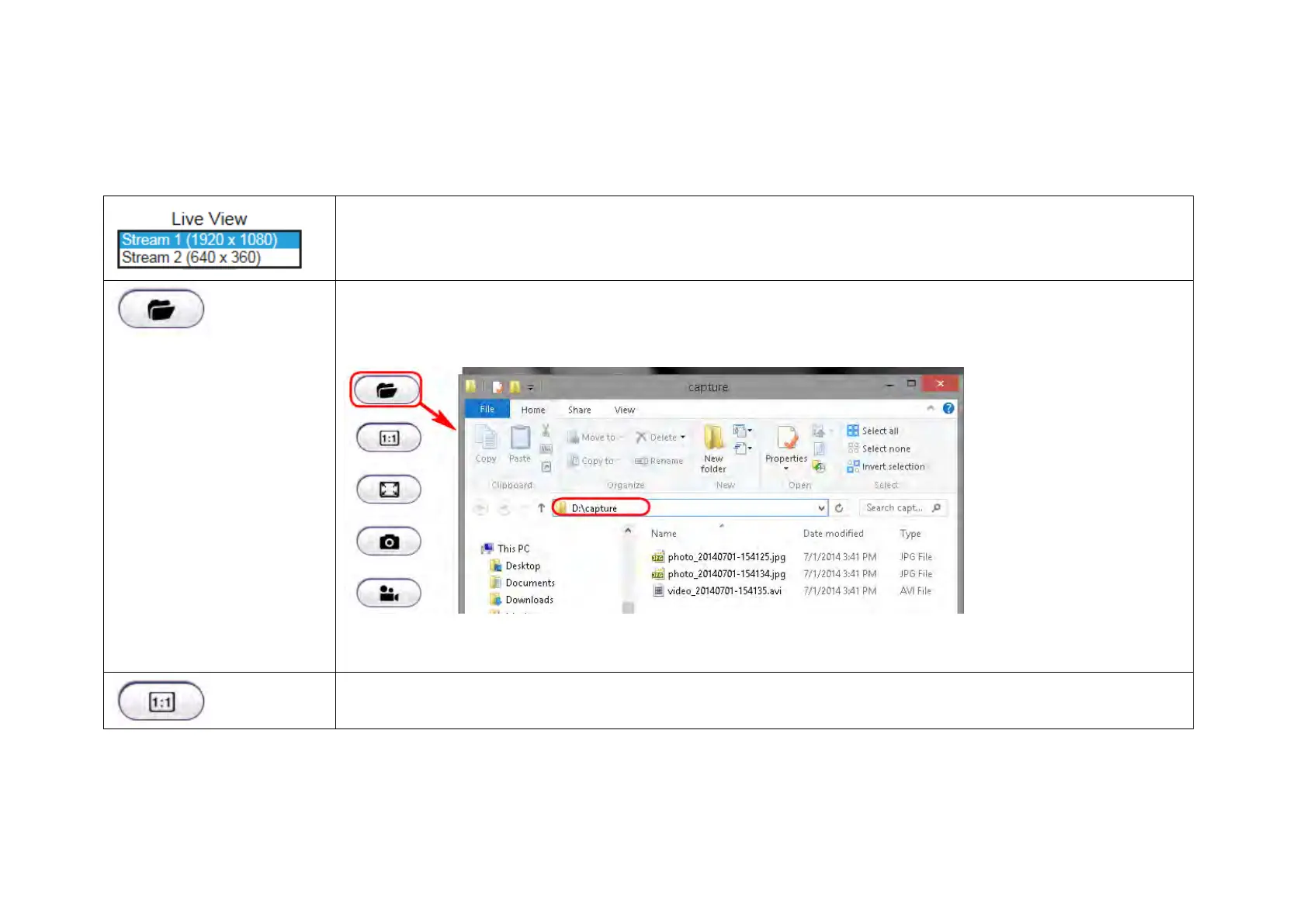
The Live View Management menu is located at the right side of the page.
There are two streams running concurrently: Stream1 (1920x1080) and Stream2 (640x360). Stream1 has the
higher resolution than stream2. Stream2 serves lower resolution for mobile devices which has smaller screens.
You can preview each stream at real time by selecting it from the list.
This opens the local folder where the real time captured images and clips are stored. You may change the
folder path at Main Menu System PC Storage Path
This switch only applies to resolution 640 x 360. When enabled, the preview image will switched to 1:1 mode.
By default the image will expand and fill the view screen if the actual image is smaller than the view.

Table of Contents