89
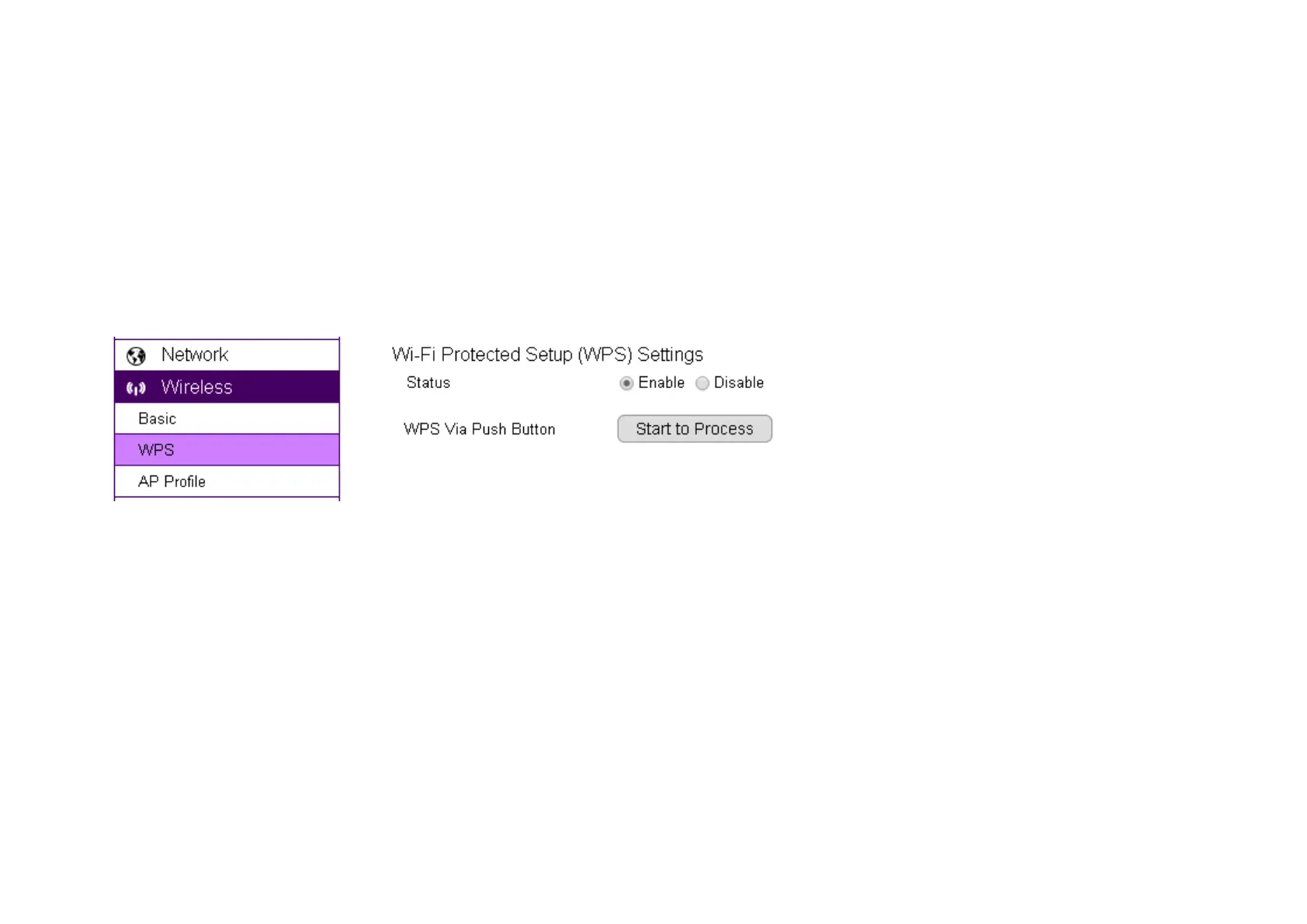
WPS over web page
You can initiate camera’s WPS process on the web page.
First, press the WPS button on the AP or wireless router (there may be changes on the LED lights as signs of initiation).
On camera’s WPS page, press Start to Process.
Wait a minute for two devices to establish the wireless connection.
Done!
NOTE: For WPS to setup wireless connection successfully, timing is essential. Once AP or wireless router has initiated WPS process, your camera
WPS process must be initiated within a given time range. It would be best if you have two devices in close range so that WPS process on both
sides can be initiated immediately after another.


 To Next Page