14
Apple Mac OS X
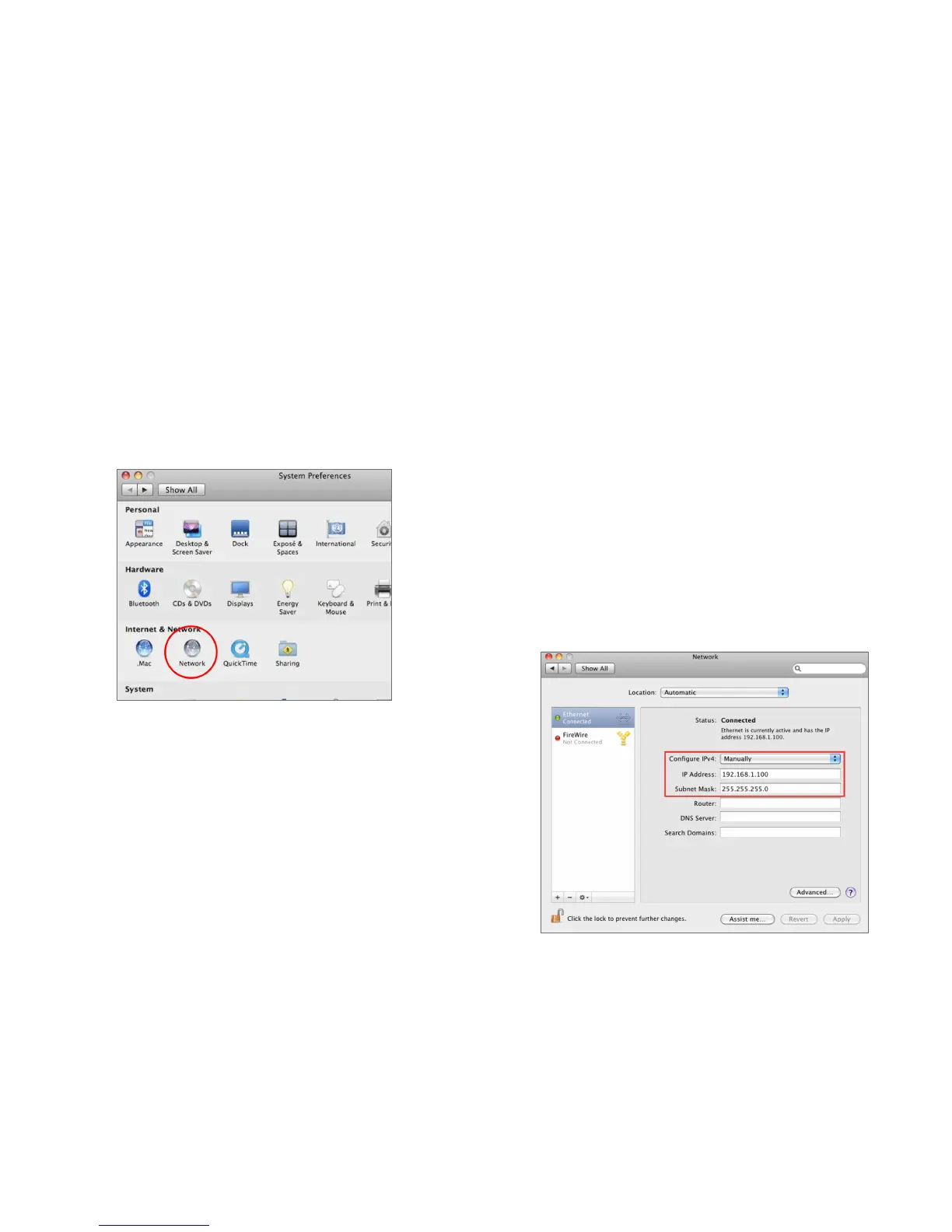
1. Go to System Preferences (Which can be opened in the
Applications folder or selecting it in the Apple Menu).
2. Select Network in the Internet & Network section.
3. Highlight Ethernet.
4. In Congure IPv4, select Manually.
5. Enter an IP address that is different from the ENS Dual
Band series and Subnet mask then press OK.
Note: Ensure that the IP address and Subnet mask are
on the same subnet as the device.
For example: ENS Dual Band series IP address:
192.168.1.1
PCIPaddress:192.168.1.2–192.168.1.255
PC Subnet mask: 255.255.255.0
6. Click Apply when done.













 To Next Page