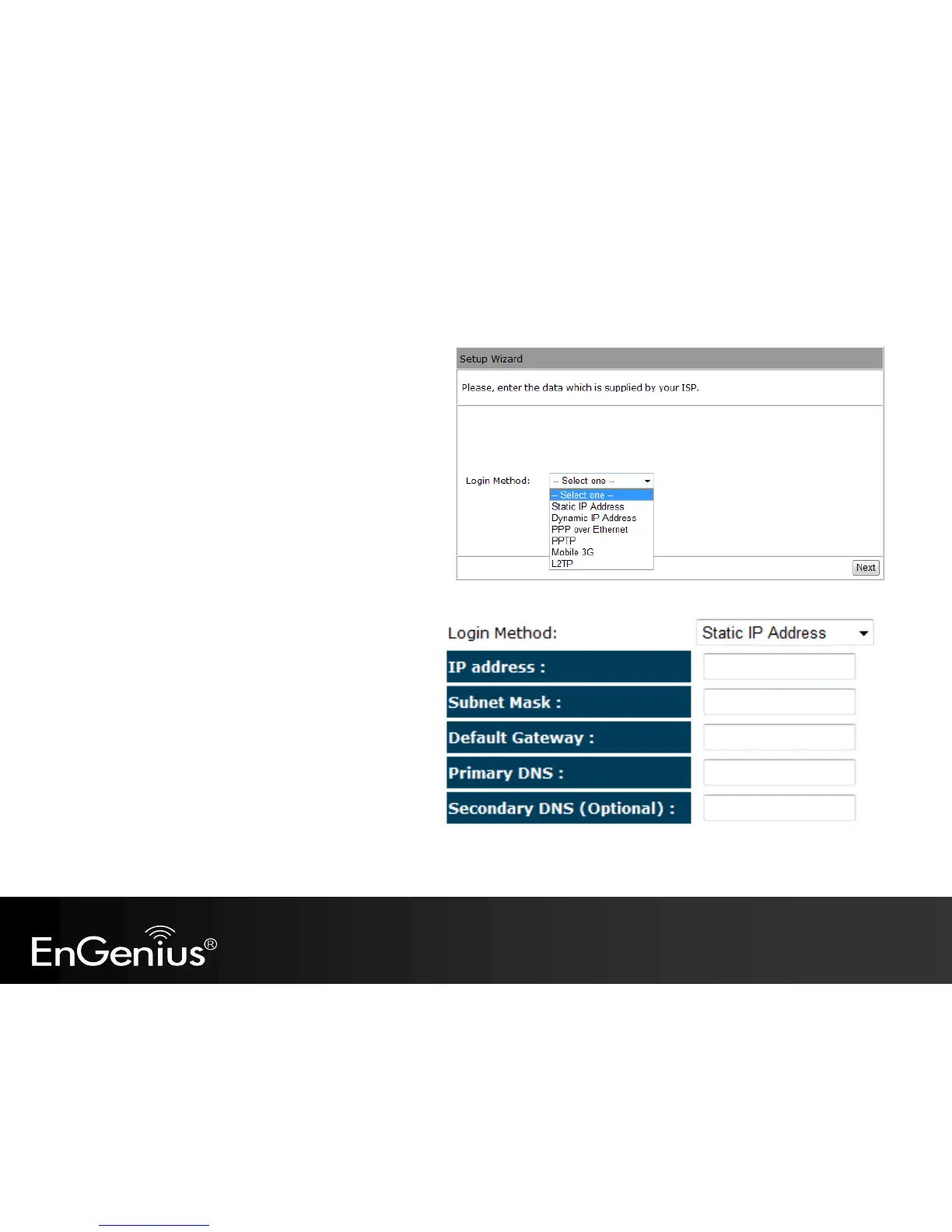
c) There are many WAN service types available.
Please obtain the correct settings from your
Internet Service Provider (ISP).
Static IP Address
If your ISP Provider has assigned you a fixed IP address,
enter the assigned IP address, Subnet mask, Default
Gateway IP address, and Primary DNS and Secondary
DNS (if available) of your ISP provider.



 To Next Page