Page 4
Omniguard Cellular™ Owner’s Manual
Page 5
Engineering Solutions Inc
Tutorial Screens
The Omniguard display is now a touchscreen! Touch the screen where
indicated to view and change settings, or to see Help.
Section 1: Basic Care
The Omniguard is built and engineered to provide you with dependable
performance for years to come. Following these basic guidelines will
insure that you get maximum use from your Omniguard. Once the
unit is set up, field operation is easy. Complete reports are virtually
automatic, providing the most accurate records of your job site
conditions available.
• This unit is designed to measure differential pressure only from
+0.250” to -0.250” WC (optional pressure ranges are available).
Caution: Never apply pressure to the inlet port by
mouth or with any other strong pressure device.
High pressure will permanently damage the sensor!!
• Use only Omniguard thermal printer paper (other thermal paper
will not work).
• Always store the unit away from sources of excessive temperature,
dust and moisture.
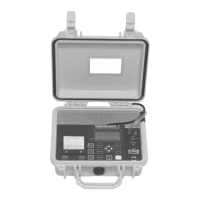
* When in use, close the lid to protect the Omniguard from damage.
Route the pressure tubing & power cord through the slot on the
side of the case.
• Never attempt to repair or modify any of the internal components
of the unit.
• Protect the unit from strong shocks or vibrations. Be sure the lid
is securely closed whenever transporting or hanging the unit.
• Be sure to plug your Omniguard into a power supply that complies
with the National Electrical Code. Keep all connections dry. As
with any electrical device, this unit has the potential to cause an
electrical shock hazard.
• If your unit must be shipped at any time to another location or for
service, use the original packing material and shipping box for
optimum protection during shipping.
Section 2: Navigating the LCD Touchscreen
Home Screen
-Indicates monitoring
status.
-Touch the icons to
access or change the
individual settings.
Main Menu
-Touch the menu item to
access system settings.
-Start or End a Job.
-View Tutorial screens &
enable/disable showing
tutorial when turned On.



 To Next Page