EasyManua.ls Logo

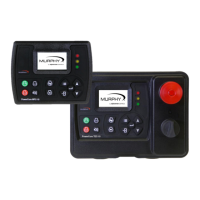
Enovation Controls MURPHY PowerCore TEC-10 - User Manual

Default Icon
65 pages
Print Icon
To Next Page IconTo Next Page
Loading...
Software Release: [App: 02.09.10051.00; Config: 2.9.20024; Built in PowerVision Configuration Studio Version: 2.9.23042;
BTL: 02.09.10015.00]
00-02-0939
2019-06-13
Section 40
PowerCore
®
MPC-10 Engine Controller &
TEC-10 Panel
Operations Manual
To see this manual in Spanish, German, French or Italian, please go to
support.enovationcontrols.com,
then search for MPC-10 or TEC-10.
In order to consistently bring you the highest quality, full-featured products, we reserve the right to change our
specifications and designs at any time.

Table of Contents

Question and Answer IconNeed help?

Do you have a question about the Enovation Controls MURPHY PowerCore TEC-10 and is the answer not in the manual?

Enovation Controls MURPHY PowerCore TEC-10 Specifications

General IconGeneral
Operating Temperature-40°C to +85°C
Analog Inputs4
PWM Outputs4
Relay Outputs2
ProtectionIP67
Microprocessor32-bit
Communication PortsRS-485, USB

Summary

User Interface and Controls

Operator Controls Overview

Explains the functions of each button and LED on the MPC-10/TEC-10 keypad.

System Navigation and Setup

System and Engine Configuration

Engine Settings

Parameters for engine type, manufacturer, speed source, and operational settings.

Advanced Engine Settings

Configuration for less common, engine-specific parameters and J1939 settings.

Operational Configuration

Input;Output Configuration

Setup for digital inputs, analog inputs, and relay/digital outputs.

Application Configuration Types

Selection and setup for specific applications like Pump, Air Compressor, Hose Reel, Frost Protection, Chipper.

Quick-Start Setup Procedures

Mechanical Engine Setup Steps

Walkthrough for configuring mechanical engine parameters.

J1939 Engine Setup Steps

Walkthrough for configuring J1939 electronic engine parameters.

Auto Start Setup Examples

Guides for setting up various auto start functions like single contact, pressure, or level.

Troubleshooting and Glossary

Related product manuals