
 Need help?
Do you have a question about the Enovation Controls Murphy PowerView PV101-C and is the answer not in the manual?
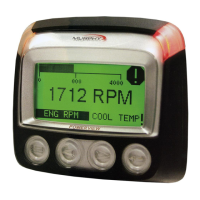
Identifies the display screen, menu, enter, and arrow keys, plus warning LEDs.
Explains the function of each keypad button (Menu, Left Arrow, Right Arrow, Enter).
Describes the initial display of the Murphy logo and 'Wait to Start' message.
Switch between single-parameter (1-Up) and four-parameter (4-Up) display views.
Manage Diesel Particulate Filter (DPF) regeneration process and options.
Choose the display language from available options.
View and retrieve stored fault codes from the engine ECU.
Scroll through and view the engine's configuration data.
Configure parameters displayed in the single-parameter view.
Configure parameters displayed in the four-parameter view.
Reset or modify service reminders for engine maintenance.
Choose between Imperial (PSI, °F) and Metric units (kPa, Bar, °C).
Adjust display backlight intensity and text contrast.
View data for optional connected PVA gages.
Reset the gage memory on the PowerView.
View Configuration, Firmware, Languages, and Bootloader versions.
View/edit J1939 fault code versions for data interpretation.
Configure analog inputs for backlight dimmer or fuel level settings.
Enable or disable engine speed control functionality.
Configure Modbus communication parameters.
Select the appropriate CANBUS data rate.
Choose the engine ECU to communicate with.
Set the source claim address for the PowerView on the CAN Network.
Reset all settings to factory defaults.
Clear and set machine hours for tracking.
Configure fuel setpoints for fuel level monitoring.
Enable or disable the DPF Regen option in the Main Menu.
Enable or disable the Engine Speed Control option in the Utilities Menu.
Understand the meaning of Amber and Red LEDs on the casing.
Identify fault indicators displayed on the screen.
Troubleshoot issues with connected PVA gages.
View active fault codes received from the engine.
Understand messages indicating derate or shutdown conditions.
Learn how to acknowledge and hide active fault codes.
Address the 'Wait to Start Preheating' display message.
Resolve CANBUS communication failure issues.
Troubleshoot 'Timeout ECU Not Responding' errors.
Understand the 'No Stored Codes' message.
Address 'No Gage Data' errors.
Troubleshoot 'No Data' parameter value display.
Understand 'Not Supported' parameter value display.
Resolve 'Data Error' parameter display issues.
Address empty quadrants in the 4-UP display.
Fix unreadable display issues (dim/dark) by resetting contrast.
Troubleshoot non-functional PVA Gages.
 General
| Touchscreen | No |
|---|---|
| Display Type | LCD |
| Display Size | 3.8 inches |
| Operating Temperature | -40°C to 85°C |
| Power Supply | 8-32 VDC |
| Communication Protocols | CAN bus |
| Storage Temperature | -40°C to 85°C |

 To Next Page


