
 Need help?
Do you have a question about the Enovation Controls PowerView PV480 and is the answer not in the manual?
Critical information and instructions to follow before installing the Murphy product.
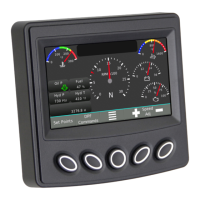
Details on the sequence of screens displayed and the types of gauges shown.
Description of color-coded status icons and their meaning for operator communication.
Definitions of common terms and acronyms used in the manual.
List of main menu categories: Gauges, Diagnostics, System Info, Lamp Info, User Settings, Service.
Steps to navigate to and view Active and Logged Diagnostics.
Details on active warnings/faults, SPN, FMI, and text descriptions from the ECU.
Information on stored trouble codes (DM2), warnings, and faults from the ECU.
Displaying engine model, serial number, software ID, fuel rate, and time since last active regen.
Explanation of Diesel Particulate Filter (DPF) lamp symbols and their meanings.
Adjusting screen colors for day/night vision and backlight brightness.
Choosing from English, French, German, Spanish, Italian, or Japanese.
Selecting USA Standard, Metric kPa, or Metric Bar for display units.
Changing date and time, noting reboot requirement for settings to take effect.
Details on Cancel Regen, Regen Mode Inhibit, and Request Regen actions.
Illustrates a caution message popup regarding DPF regeneration status.
Detailed explanations for Regen Level 1 through 5 and Regen Complete messages.
 General
| Brand | Enovation Controls |
|---|---|
| Model | PowerView PV480 |
| Category | Measuring Instruments |
| Language | English |

 To Next Page

