Need help?
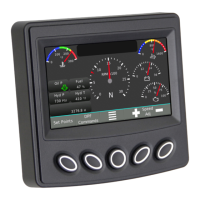
Do you have a question about the Enovation Controls Murphy PowerView PV380-R2 and is the answer not in the manual?
 General
| Brand | Enovation Controls |
|---|---|
| Model | Murphy PowerView PV380-R2 |
| Category | Measuring Instruments |
| Language | English |
Lists engine and transmission parameters like speed, temperature, hours, and fuel levels.
Explains the functions of the display buttons and keypad for device operation.
Instructions for changing the display language on the PV380 unit.
Steps to adjust measurement units (US STD, Metric KPA, Metric BAR) for the display.
Procedure for setting the current time and date on the device.
Procedure for setting the current date on the device.
Instructions to show or hide the clock on the display.
How to change the engine type between Electronic and Mechanical for system setup.
Steps to change and configure analog and resistive inputs for data sensing.
How to configure Digital Output 2 for Comm SHDN or Air Shutoff functions.
Steps to configure gauge display options and customize the screen layout.
How to view and reset engine and machine service reminders within system settings.
Accessing and configuring advanced parameters like SPN options and control modes.
Explanation of the amber (Warning) and red (Shutdown) LEDs on the keypad.
Description of indicator lamps shown on the gauge screens and menus.


 To Next Page