7
8
Regional Settings Menu:
Geographical settings are done in this menu. The changes which are made in this menu are saved to the
memory when the “SAVE” query is confirmed by the user while returning to the monitoring menu.
Location Menu: The sunrise and sunset times are automatically calculated according to the set coordinates.
The user can choose to select the MANUAL parameter and enter latitude and longitude of the coordinate
which he is in manually or to use the coordinates which are already saved on the devices memory. The
selectable options are 68 world clocks. When any parameter other than MANUAL is selected, the time zone
is adjusted automatically.
Time Zone Menu: The time zone for the geographical location in which the user resides is set in this menu.
This parameter affects only the sunrise and sunset times according to the set location.
Daylight Savings Time (DST) Menu: DST usage is set in this menu. There are 4 parameters.
Europe Parameter: According to the European DST settings; the DST starts when the local time is about
to reach 03:00:00 and the clocks are turned 1 hour forward to 04:00:00 on the last Sunday of March. The
DST ends when the local time is about to reach 02:00:00 and the clocks are turned 1 hour backward to
01:00:00 on the last Sunday of October.
USA Parameter: According to the USA DST settings; the DST starts when the local time is about to reach
02:00:00 and the clocks are turned 1 hour forward to 03:00:00 on the second Sunday of March. The DST
ends when the local time is about to reach 02:00:00 and the clocks are turned 1 hour backward to 01:00:00
on the first Sunday of October.
Custom Parameter(CUSTOM): By choosing this parameter, the user first selects the month, the place of the
day in that selected month(Ex.: The selection of the “second” parameter in the “second Saturday of March”.
It is selected as the week of the month.), the day, the time on which it will be turned forward for DST start.
The user then selects the month, the place of the day in that selected month(Ex.: The selection of the
“second” parameter in the “second Saturday of September”. It is selected as the week of the month.), the
day, the time on which it will be turned backward for DST finish.
Time Settings Menu:
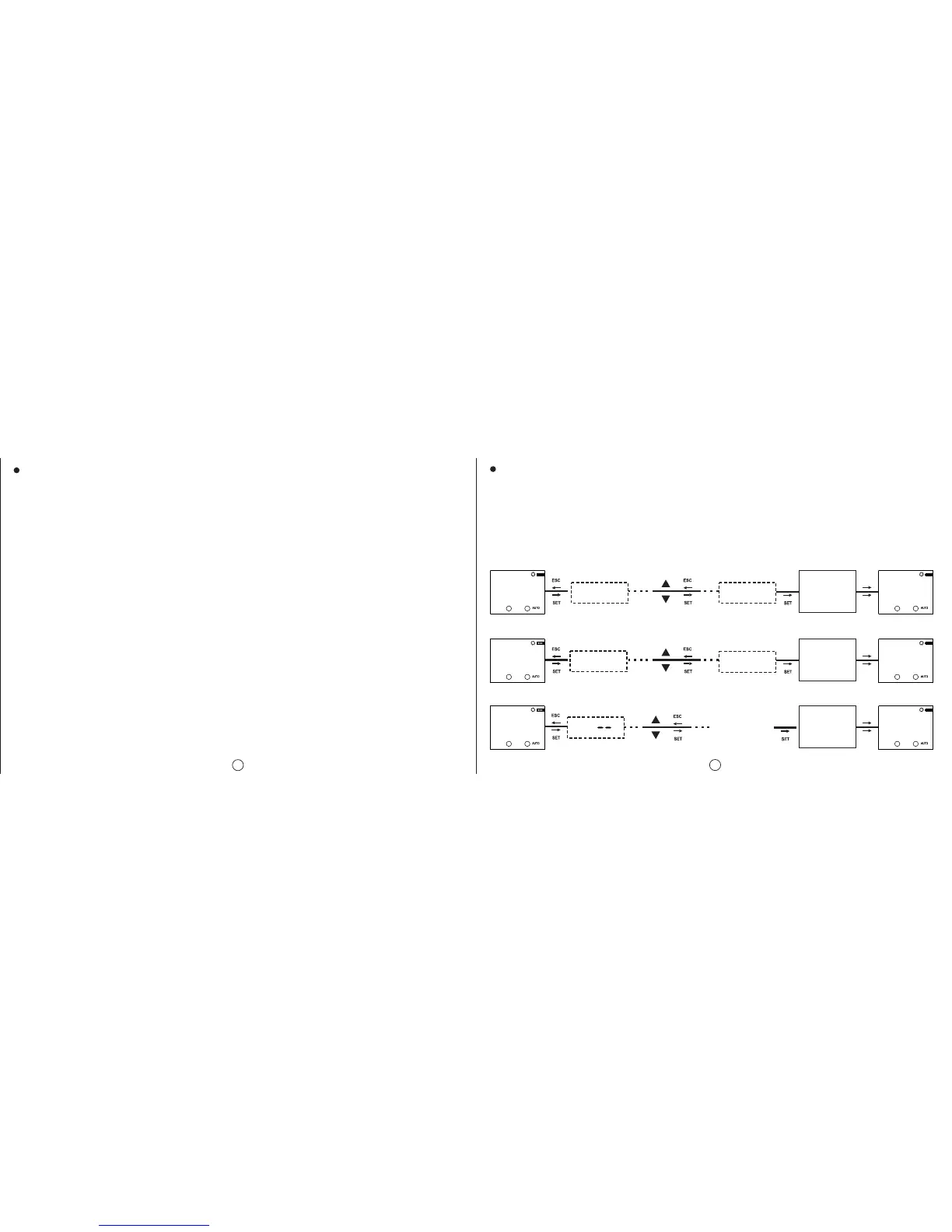
The time settings are done in this menu. There are 3 sub-menus. The changes which are meade in this
menu are immediately applied.
Date Menu (DATE): It is displayed as dd.mm.yy.
Clock Menu (CLOCK): It is displayed as HH.mm.ss.
Century Menu (CENTURY): The first two digits of the year which you’re in is set in this menu. It is displayed
as yyyy. The last two digits come from the date setting. When the user wishes to set this value it
changes to yy--. It can be set between 19 and 25.
DATE
16.08.10
MO
DATE
16.08.10
dd.mm.yy dd.mm.yy
HH.mm.ss HH.mm.ss
DATE
23.08.10
CHANGED
DATE
DATE
23.08.10
MO
CLOCK
20:43:50
CHANGED
CLOCK
CLOCK
20:43:50
MO
CLOCK
20:53:40
CLOCK
20:53:40
MO
CENTURY
1910
MO
19
Can be set
between
19~25
CHANGED
CENTRY
CENTRY
2010
MO
CENTURY
C1: C2:
C1: C2:
C1: C2:
C1: C2:
C1: C2:
C1: C2:


 To Next Page