11
12
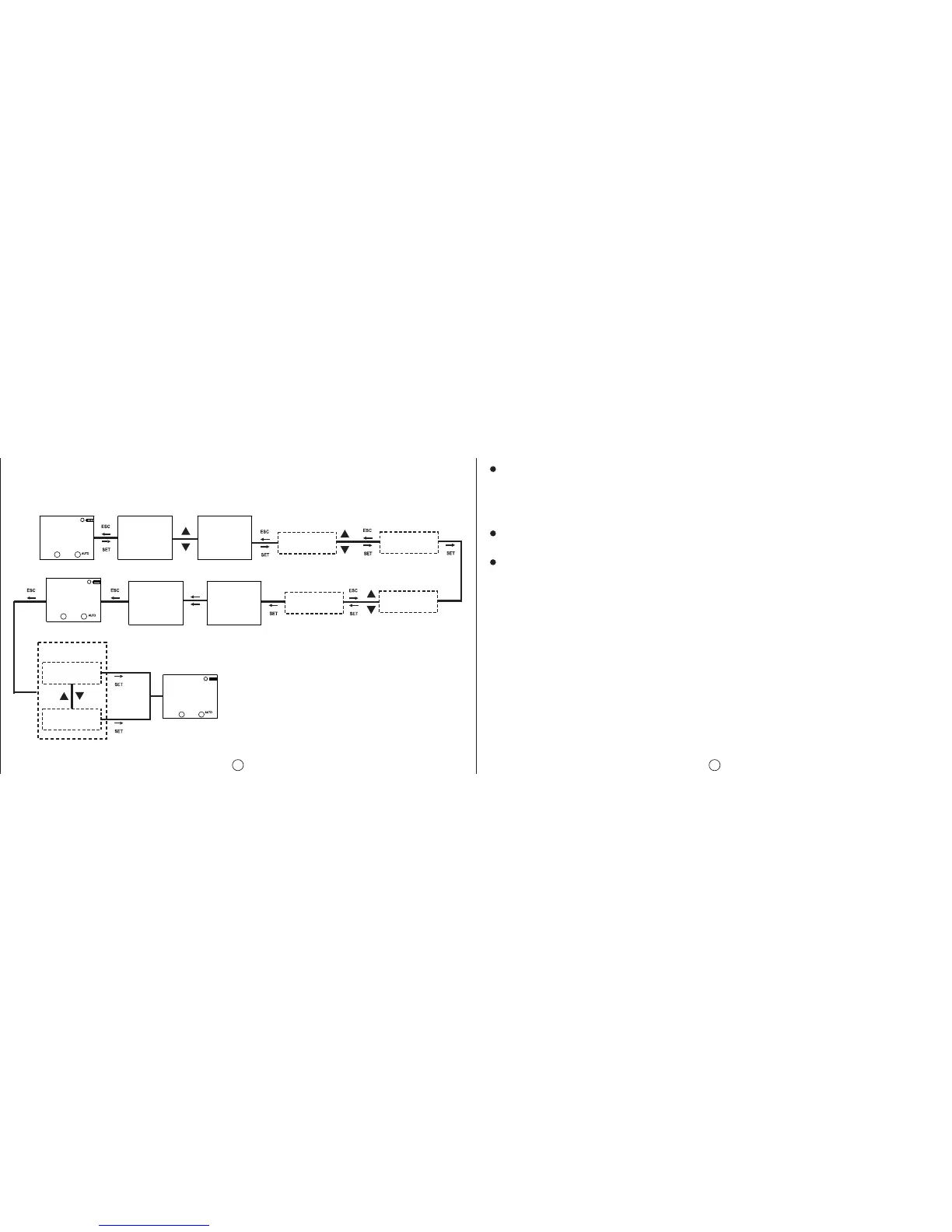
Password Change Menu: The password is changed in this menu. It is done as following: Factory Setting Menu:
The device is returned to its factory settings in this menu. The 4 digit password is prompted before entering
this menu. If the password is activated, it isn’t prompted again before entering this menu since the password
was entered before entering the main programming menu. The device returns to its factory settings when
the “SAVE” query is confirmed by the user while returning to the monitoring menu. Time settings, relay
operation count and relay operation time doesn’t change.
Version Information Menu:
The software and hardware versions of the device is shown in this menu.
Exit from Main Programming Menu:
This menu is used to exit from the main programming menu. The ESC button can be used for this, too. If
any changes are committed in the menus while in the main programming menu, an approval promt is
shown. If there aren’t any changes, the monitoring menu is shown directly.
Factory Settings:
Program
P01: C1 relay will be activated everyday at sunset and will be deactivated everyday at sunrise.
P02: C2 relay will be activated everyday at sunset and will be deactivated everyday at sunrise.
P03....P15: FREE
PASWORD
SETING
MO
PASWORD
ACTIVE
PASWORD
CHANGE
0000 0001
NEWPASS NEWPASS
PASWORD
CHANGD
PASWORD
CHANGE
PASWORD
SETING
MO
SAVE
yes
no
16.08.10
16:40:51
MO
0000
0001
REENTER REENTER
Selected
parameter is
shown
Changes are saved
Changes are
discarded
C1: C2:
C1: C2:
C1: C2:
Merge Function
AND-1: FREE
AND-2: FREE
Regional Settings
POSITION: ISTANBUL
TIME ZONE: 2:00
DAYLIGHT SAVING: EUROPEAN
Display Settings
CONTRAST:08
Manual Mode
RECOVRY : DISABLE
Activation Time
C1 TIME : 0
C1 SHOT : 0
C2 TIME : 0
C2 SHOT : 0
Password
PASSWORD:0000
PASSWORD STATUS:INACTIVE


 To Next Page