13
Touchscreen Actions
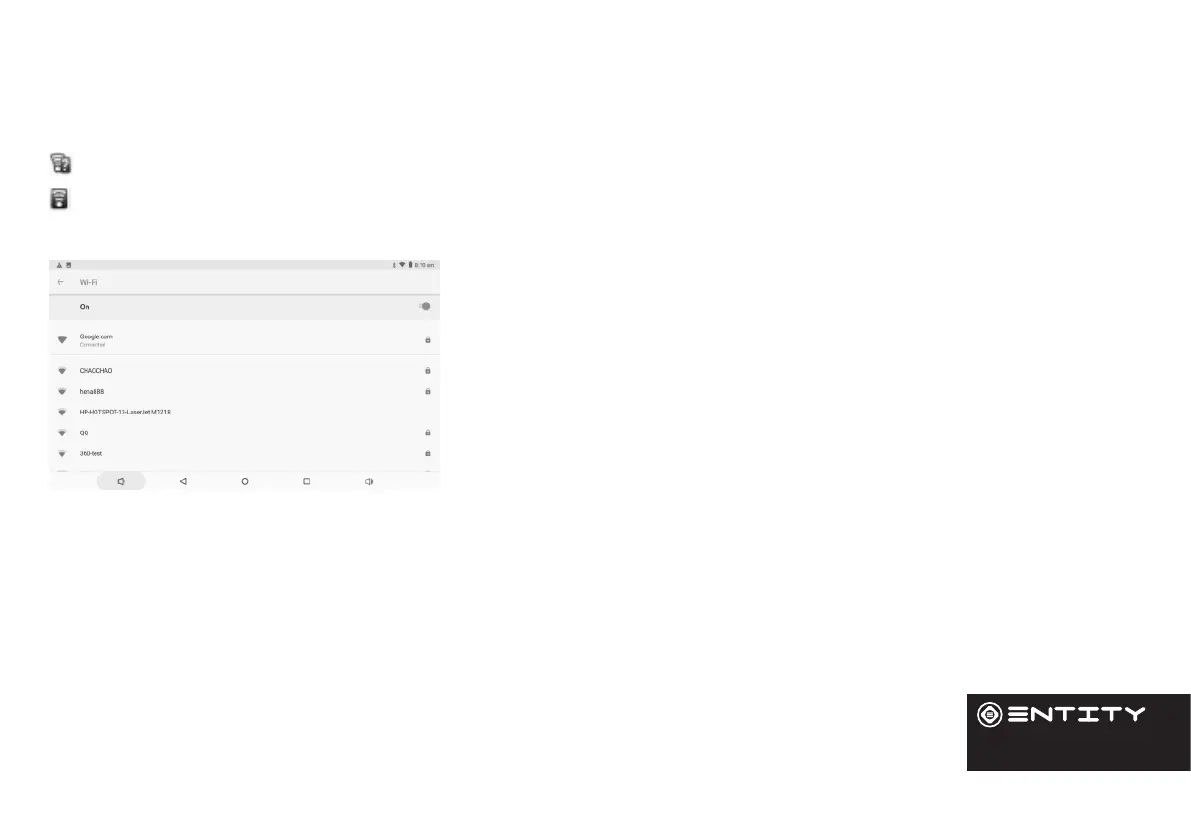
The Nocaon bar displays icons that indicate your tablet’s Wi-Fi status.
Nocaon that an open Wi-Fi network is in range.
Connected to a Wi-Fi network (waves indicate connecon strength).
[No Icon] There are no Wi-Fi networks in range, or the Wi-Fi is turned o. Turn on the Wi-Fi if it is not already on.
To turn on the Wi-Fi:
Go to the Home screen by pressing the home key (O).
Open the Sengs menu by touching the icon on the home screen to open
the launcher, then touch the sengs icon.
Open the Wireless and Network menu and slide the tab to the on posion.
When Wi-Fi is on, the tablet will look for and display a list of available
networks.
Note: If a network that you have connected to previously is found, the tablet will connect to it.If you don’t see your
network in the list, you can force the tablet to re-scan. To scan for networks, tap the Menu key, and then touch Scan.
In the same Wi-Fi sengs menu above, touch a network in the list. If the network is open,the tablet will prompt you to
conrm connecon to the network. Touch Connect to conrm. If the network is secured (as indicated by a Lock icon), the
tablet will prompt you to enter a password or other credenals.
WiFi


 To Next Page