20
File Management & Security
Transfer Files To Your Tablet
From a computer, use the USB lead provided in the package box. From a USB device with a standard male USB connecon,
you will need to purchase a female USB to micro USB lead in order to connect it (e.g. USB card reader, USB connecon from
a camera etc.). Via e-mail, simply add aachments to e-mail messages and send to your Google e-mail address. Then open
Gmail, open the message and save the le from e-mail to your tablet memory.
Backing up your les with your Google account
For this process to work you must be connected to a WiFi Network
• Before backing up, please download the ‘Google Drive’ App from the play store.
• Make sure the les you want to back-up are added to your Google Drive.
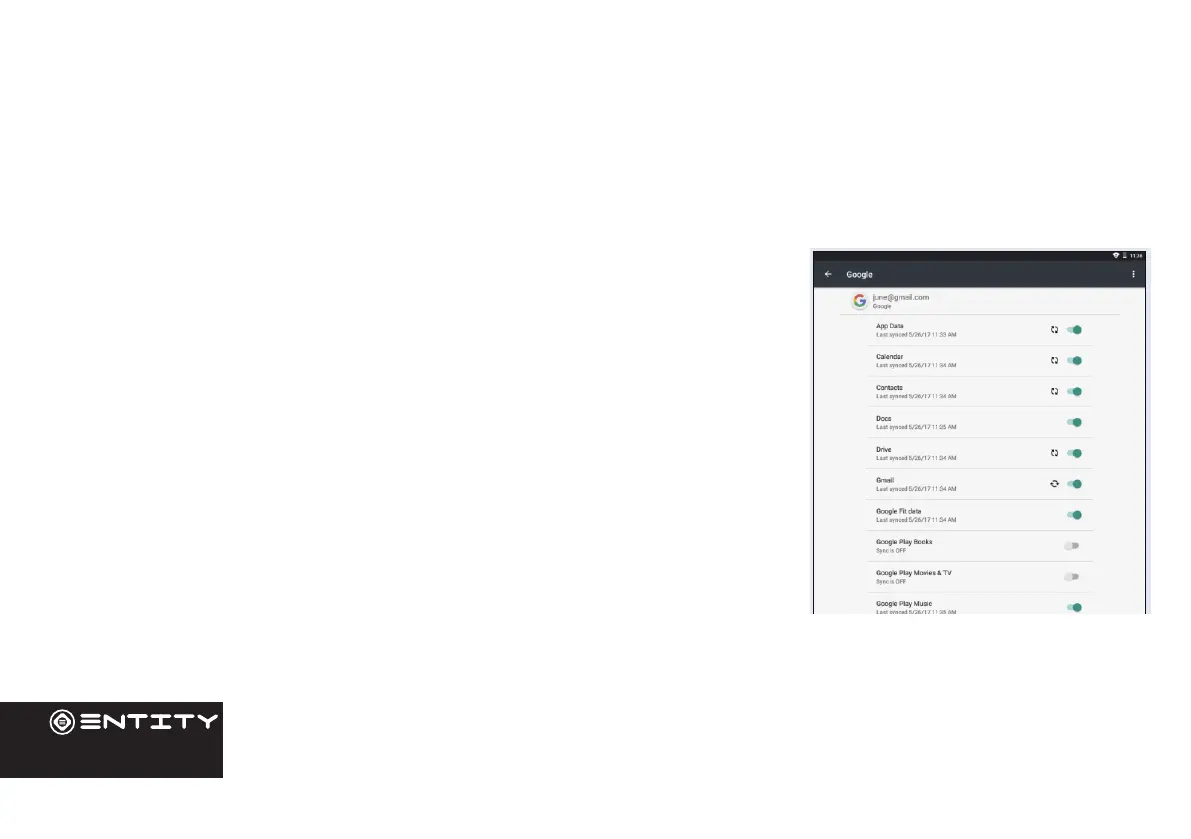
• Go to ‘Sengs’. Under Accounts/Google, touch your Google email address and
ck all the data you want to back up, including ‘Drive’. You can access the data from
anywhere you have access to your Google account. If your Google account has not
been set up yet, choose ‘Add account’ and proceed to set up an exisng or create a
new one. At the last set up step, choose ‘Keep this tablet backed up with my Google
account’ and all your data will be backed up.


 To Next Page