16
Applications
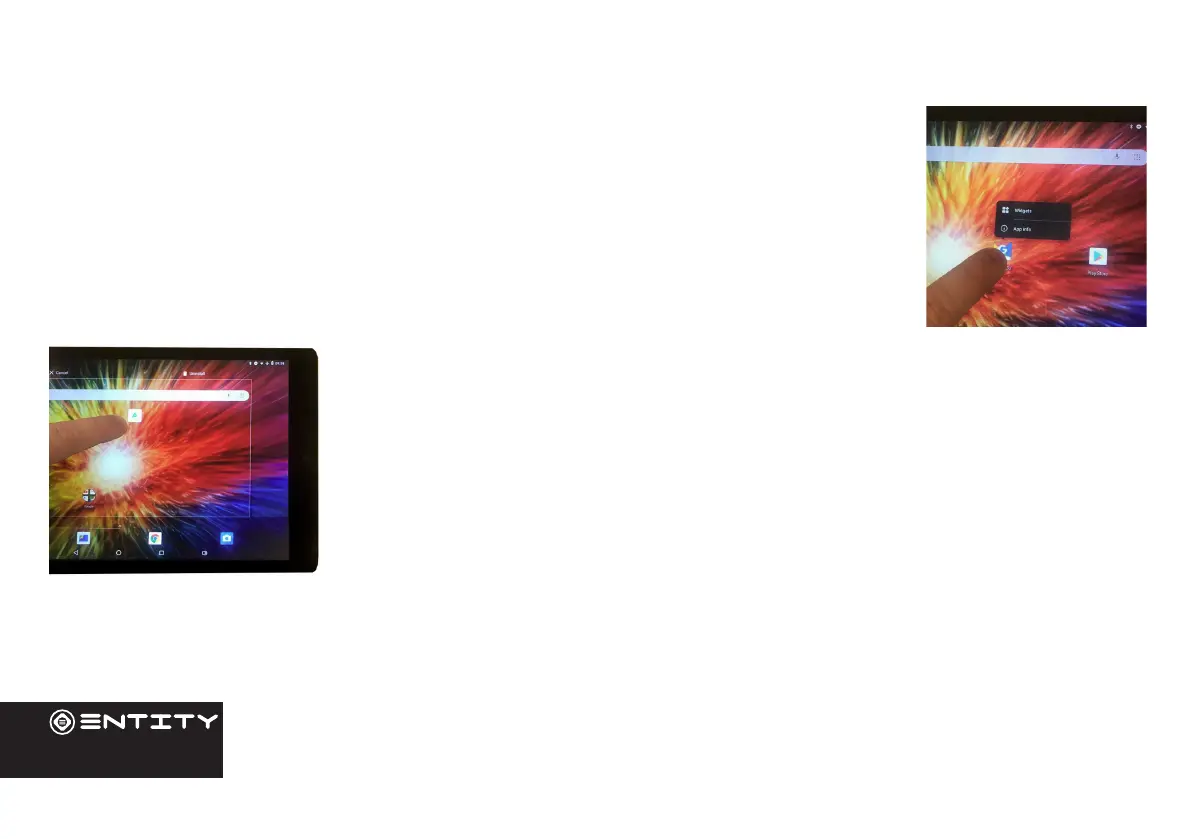
Moving a home screen icon
Touch and hold your nger onto the icon unl a small menu appears. You can then slide it to the
desired locaon, and release your nger.
Removing a home screen icon
Touch and hold the icon unl the small menu appears and then slide it over towards the remove
icon.
Uninstalling an application
You can only unistall third-party applicaons. Applicaons that are built into the rmware
such as some Google Apps (e.g. clock, calculator, seng etc) cannot be deleted but some
may be disabled in ‘Sengs’.
Apps downloaded since tablet set up may be deleted to free up memory space. From the
apps menu, touch and hold the app icon, slide your nger towards the top of the screen and
drop it over the uninstall bin. To check which applicaons are downloaded or built-in, go to
‘Sengs’ then ‘Apps’. You can also unistall apps in ‘Sengs’ and move them from internal
memory to SD card etc.


 To Next Page