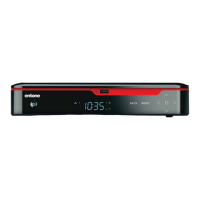
Copyright © 2008 Entone, Inc. All rights reserved
1
Table of Contents
Declaration of Conformity .................................................................................................................................................... 2
Preface ................................................................................................................................................................................. 5
TYPOGRAPHICAL CONVENTIONS ...................................................................................................................... 5
OVERVIEW OF THIS USER’S GUIDE ................................................................................................................... 5
1.1 Safety Precautions .................................................................................................................................................. 6
OPERATION AND CARE ......................................................................................................................................... 6
2.1 Index to Parts and Controls .................................................................................................................................... 7
CONTENTS IN THE BOX ........................................................................................................................................ 7
FRONT PANEL AND REAR PANEL ....................................................................................................................... 8
REMOTE CONTROL ................................................................................................................................................ 9
3.1 Amulet Introduction ............................................................................................................................................... 10
ABOUT THE AMULET HIGH DEFINITION TELEVISION RECEIVER ............................................................... 10
4.1 Connecting the TV ................................................................................................................................................. 11
CONNECTING THE TV USING COAXIAL CABLE ............................................................................................. 12
SETTING UP TV TO USE CATV ........................................................................................................................... 12
CONNECTING THE TV USING RCA COMPOSITE............................................................................................ 13
CONNECTING THE TV USING HDMI OR COMPONENT ................................................................................. 14
SETTING HDMI AND COMPONENT OUTPUT RESOLUTION ......................................................................... 16
SETTING CHANNEL ID ......................................................................................................................................... 16
5.1 Connecting Audio System ..................................................................................................................................... 17
6.1 Powering-Up Amulet ............................................................................................................................................. 19
7.1 Remote Controls ................................................................................................................................................... 21
LOADING BATTERIES .......................................................................................................................................... 21
CONTROLLING THE AMULET ............................................................................................................................. 22
CONTROLLING YOUR TELEVISION AND OTHER A/V DEVICES .................................................................. 24
8.1 Closed Captioning ................................................................................................................................................. 25
9.1 Aspect Ratio .......................................................................................................................................................... 26
10.1 User Menu ............................................................................................................................................................. 27
USING USER MENU .............................................................................................................................................. 28
SETTING HDMI AND COMPONENT OUTPUT RESOLUTION ......................................................................... 32
SETTING CLOSED CAPTIONING ........................................................................................................................ 32
SETTING FAN SPEED ........................................................................................................................................... 32
SETTING HPNA ...................................................................................................................................................... 33
SETTING TIVO IR KEYCODE ............................................................................................................................... 33
11.1 Specifications ......................................................................................................................................................... 34
12.1 Troubleshooting the Amulet .................................................................................................................................. 36



 To Next Page