Amulet High Definition Television Receiver User’s Guide
Copyright © 2008 Entone, Inc. All rights reserved
.
28
USING USER MENU
To start the User Menu:
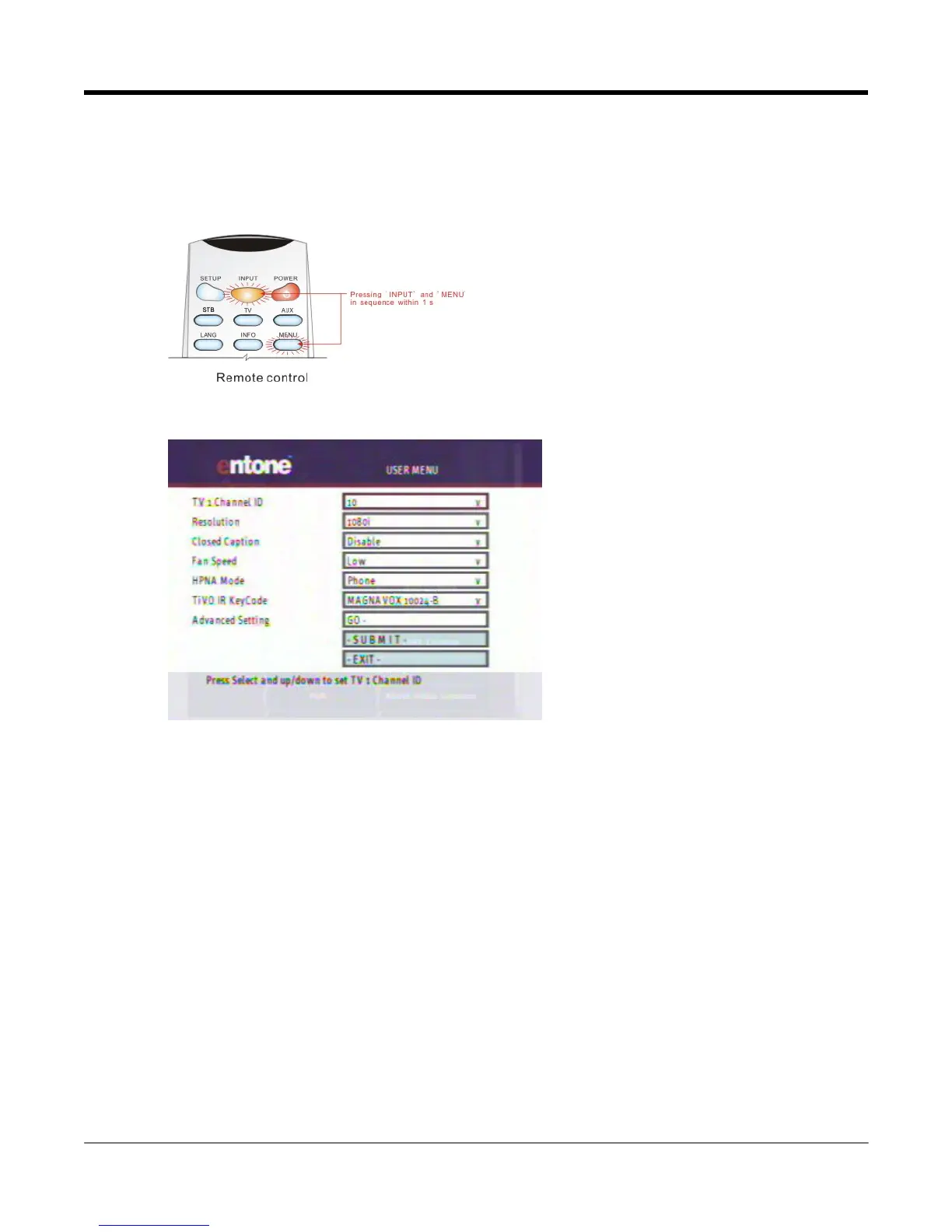
1. Press “INPUT” and then “MENU” in sequence within 1 second.
Figure 10-1 Triggering the User Menu
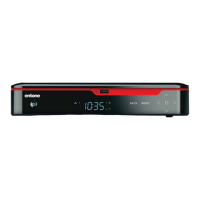
Figure 10-2 Amulet User Menu
To set up a feature:
1. Use remote control “UP” and “DOWN” arrow to select the feature you want to set. The selected feature
will be highlighted by a red rectangle.
2. Press “OK”, the feature will be highlighted in navy blue color.



 To Next Page