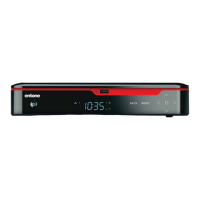
Amulet High Definition Television Receiver User’s Guide
Copyright © 2008 Entone, Inc. All rights reserved
.
32
SETTING HDMI AND COMPONENT OUTPUT RESOLUTION
You can use User Menu to set the HDMI and Component output resolution. To use User Menu to set the
output resolution, follow procedures in section Using User Menu, to make the changes.
NOTE: Setting of HDMI and component output resolution may be disabled in User Menu. You may need to
use the middleware user menu to set the resolution. Please refer to your service provider for details.
SETTING CLOSED CAPTIONING
You can use User Menu to control closed captioning. You can also use remote control “LANG” button to
control closed captioning. The setting made in both ways is the same.
To use User Menu to set closed captioning, follow procedures in section Using User Menu, to make the
changes.
Please refer to section Closed Captioning for details of controlling closed captioning.
NOTE: Setting of closed captioning may be disabled in User Menu. You may need to use the middleware
user menu to control closed captioning. Please refer to your service provider for details.
SETTING FAN SPEED
You can use User Menu to control the fan speed or turn off the fan at all. 3 fan speeds; high, middle and low
are provided. You can control the fan speed with fan noise level which is acceptable to you. To ensure good
heat dissipation, it is not recommended to turn off the fan.
Follow procedures in section Using User Menu, to make the changes.



 To Next Page