6
Getting to Know the enTourage eDGe
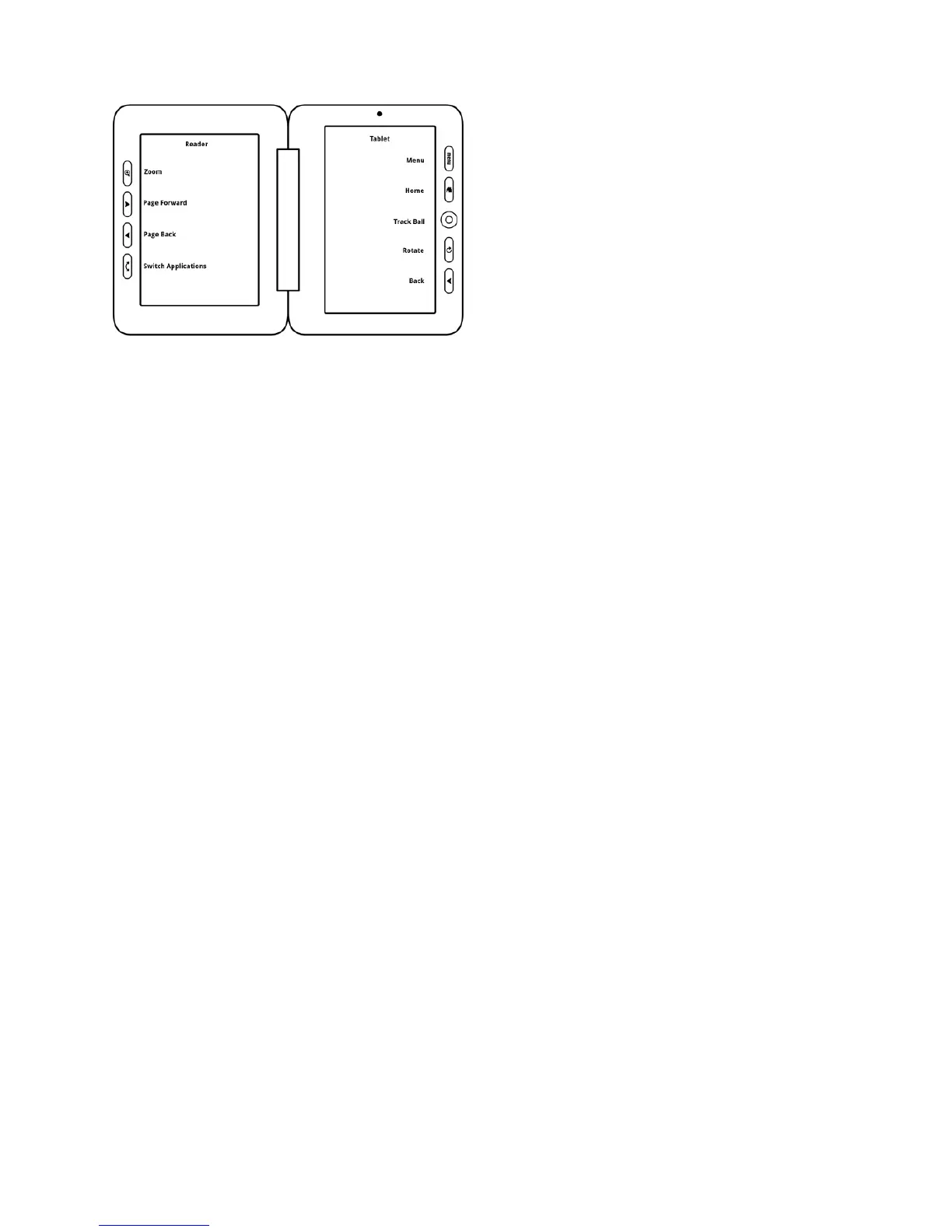
This image shows the enTourage eDGe screens and buttons.
The left screen in this image is the reader screen where you can read books and take notes. You must use the stylus on the
e-reader screen. Use the Switch Applications button to change applications on the reader screen.
See Reader Buttons for details.
Therightscreenisthetabletwhereyoucanuseyourngerorthestylus.YoucanopentheReader,Journal,Library,Brows-
er, or Email from the home screen, or open the apps menu to see more applications. See Tablet Applications.
Return to Contents



 To Next Page