10
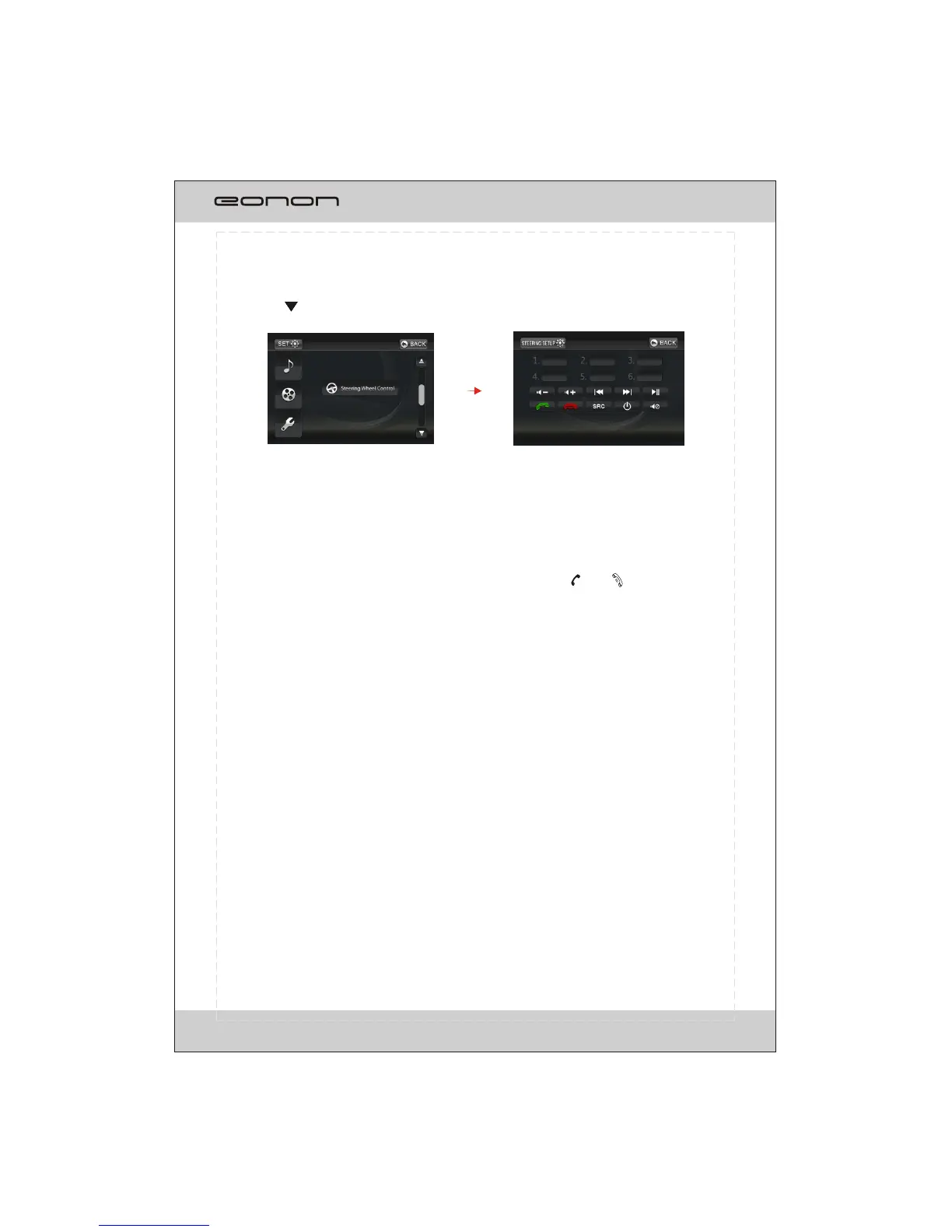
Fig.3 Fig.4
Tapping on button to turn to next page shown as fig.3.
Please refer to the following sequential order to
Note:
1.The group-setting can be erased by press
finish the setting:
1. Touch on one of the 6 BLANK columns position on the screen;
2. Press one button on the SW control;
3. The relative information jumps out on the screen;
4. Touch one of the functions as the wanted function for the pointed button on SW control;
ing and holding the selected group.
2. If there is already a set item, press the corresponding button on the SW control
and the screen will display: Exist key X.
3. Different buttons on the SW can be defined to the same function. The defined button
can be redefined after erasing the previous function.
SW control
To set 6 short-cut bottons for the steering wheel control.
The screen will display as fig.4 if there is no set for the system.
MUTE, PAUSE, and .
There are 10 buttons for selection in each item:
POWER, SRC, PREV, NEXT, VOL+,VOL-,
SW CONTROL OPERATION



 To Next Page