Music Play of the Phone
Press 【Answer】, the user could view the latest 20 answered phone numbers, and
press to dial after a number is selected.
1
3
Press 【Missed calls】, the user could view the latest 20 missed calls, and press
to dial after a number is selected.
1
4
Note: Download phone books of different versions according to different phones, and
download them to the DVD player by sending via Bluetooth.
4
3
2
1
1 3 2
Music Play Bluetooth Setup
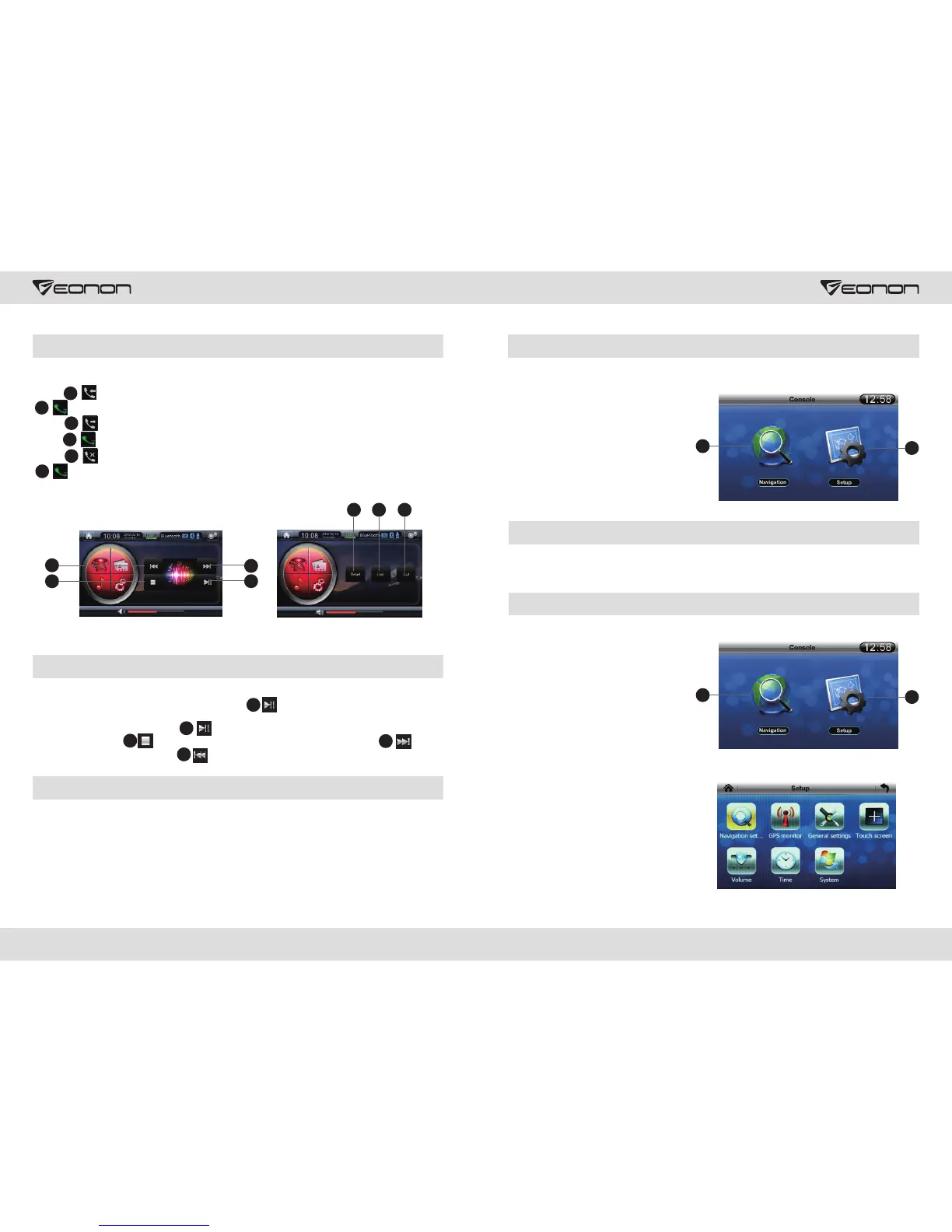
Bluetooth could support A2DP, Bluetooth stereo play and automatic control. If phone
matching is supported, the user needs to press A2DP communication protocol
under standby mode, then it will control the phone to play music automatically. During
music play, the user could press to pause, and press 1 again to recover normal play.
Also you can press to stop playing, and press 2 again to replay, press to
select the next song, and press to select the previous song.
Bluetooth Setup
Click [Reset] to view saved information of Bluetooth, click [Cut] to cut off Bluetooth link, click
[Link] to connect to Bluetooth. Press [-] to decrease the volume of Bluetooth, and press [+]
to increase the volume of Bluetooth.
15 16
2
1
1
4
3
GPS navigation operation (Optional function)
GPS main menu is as follows:
1. Navigation Setup
2. Navigation
GPS Main Menu
Press 1 [Navigation Setup] to enter navigation menu in the navigation main menu; press 2
to set the map.
GPS Setup
Press icon 1 in the main menu to enter Set
Menu, the following picture will display:
Press navigation setup, general setup,
GPS monitor, touch screen calibration,
calibration, volume, clock and system to
enter subsidiary interface.
About phone book/answer/make calls/missed calls
Upload phone number according to Bluetooth protocol supported by the phone.
Press 【Dial】, the user could view the latest 20 called phone numbers, and press
to dial after a number is selected.
1
2
2
1
2
1



 To Next Page