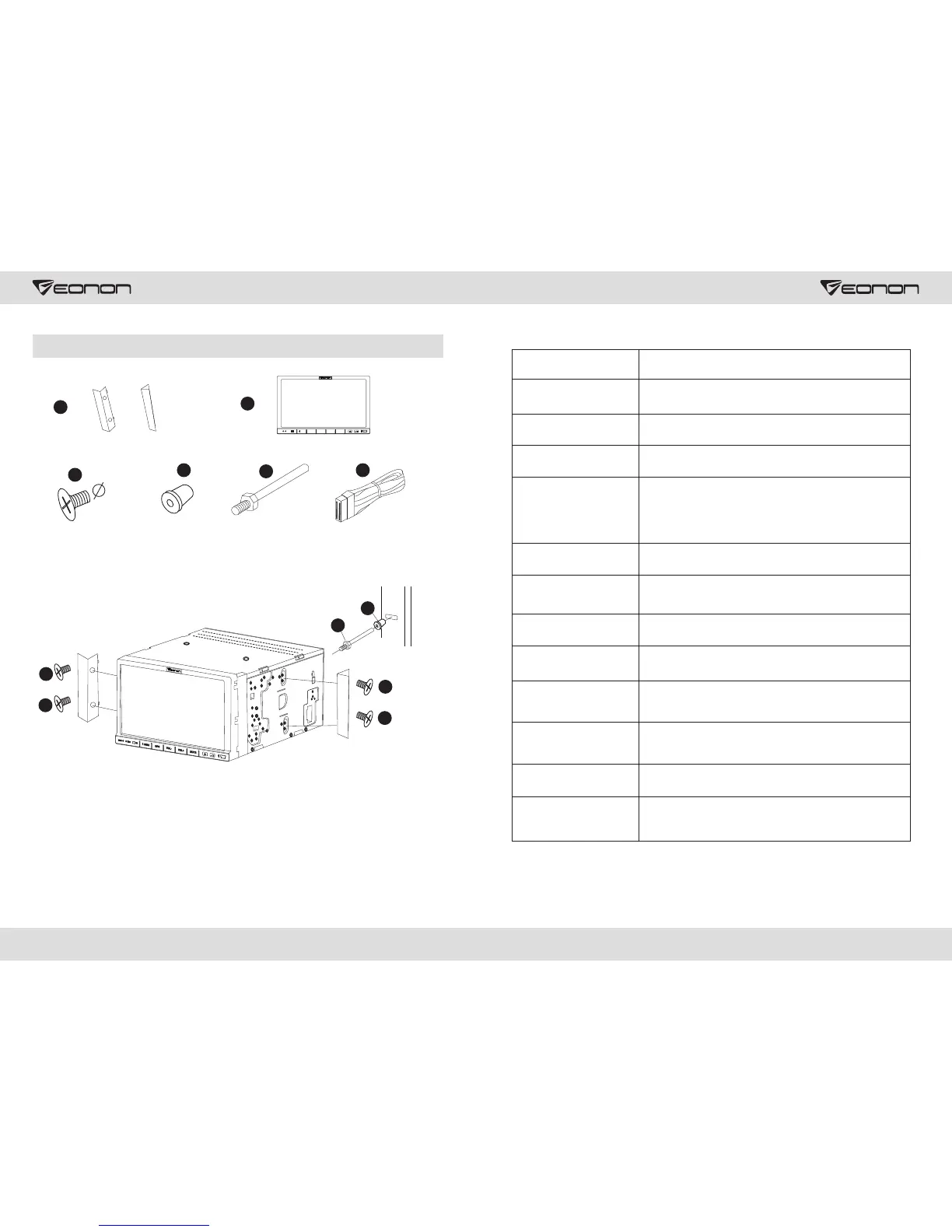
Installation
Select appropriate fittings according to your car
1. Keep small parts away from children.
2. Bolts in these accessories could be used.
3. Different accessories may vary from different vehicles.
4. Installation should be carried out by professionals.
27 28
5x8
1
2
3
4
5
6
RES MIC IR
/SRC
GPS VOL- VOL+
MUTE
3
3
3
3
5
4
Problems
No electricity
Reasons and solutions
Invalid LCD display
buttons
Unable to receive radio
stations
Poor radio signals
Unable to play DVD disc
Stereo index flashes
Noise
No picture
Flashing screen
Unable to run Bluetooth
Loud response sound of
Bluetooth
Intermittent music play
and talking via Bluetooth
phones
Check whether power supply of the fuse has broken down.
Change battery if necessary
Press reset button
Check whether the antenna is connected, or the
connection is ok. Connect the antenna.
Antenna length may not be enough. Check whether the antenna
is disconnected. If it has been broken, change a new one.
Too weak broadcasting signal, change another strong signal.
Antenna is not connected to the ground. Make sure the
antenna is well connected to the ground.
There's already a disc in the DVD.
Perfect frequency tune.
Too weak broadcasting signal, place it in mono color mode.
If disc is damaged or dirty, change to a new one.
DVD video cable does not connect to TV.
Color setup of the system is incorrect. Set according to
TV color system “PAL” or “NTSC”.
Check whether Bluetooth phone and DVD are connected
to DVD correctly. Match according to connection guidance
of the mobile phone.
Volume is too loud. Adjust DVD to the proper volume.
Check whether Bluetooth phone is too far away from DVD.
Place mobile phone in an appropriate position within
5 meters of the DVD.



 To Next Page