The main menu on the top of the interface allows you to:
handle Projects see §5.9.2
generate Reports see §0
perform user calibration see §5.8
get system information - HelpAbout
The main toolbar features three pushbuttons that allow you to:
Acquire Measure data
Acquire Reference data
Undo the last operation
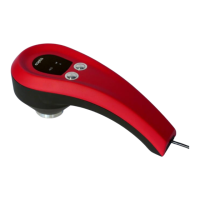
These buttons feature the same functions of the Function (right) and Acquire (left) button of the colorimeter, as
described in §2.
The four central icons switch between the various operating modes featuring the following functions:
Colour Difference Check see §5.3
Colour Matching see §5.4
Colour Classification see §5.5
L*a*b* Chart see §5.6.
The central Output control panel changes according to the selected operating mode function and shows specific
controls and outputs, as described in the relevant sections.
The Measure and Reference control panels include all the controls needed to perform and manage the colour
data acquisition. Each acquisition can be either addressed as a Measure or a Reference depending on its expected
usage. Measure and Reference data are indeed handled in different ways depending on the selected operating mode
function, as described in §5.3 to §5.6. It is possible to exchange previously acquired Measures and References, as
described in 5.9.1.
The Measure and Reference Modes can be selected by a a click on the Function (right) button on the colorimeter. The
active mode is highlighted on the panel and once a colour is acquired, the data is added to the list of the
highlighted section. In both cases, each acquired colour will be added to the Default Group of the Colour List .
The last acquired colour will become the current colour, used as input by the operating mode functions, and its
coordinates will be displayed in units according to the selected colour space . The user can select a previously
acquired colour by double clicking on it in the list or by dragging it to the corresponding Display Area in the Output
control panel.
The Measure and Reference Lists can be managed by means of the Database Control buttons , as described in
§5.9.1.
The you to save a report of the current measures and analysis results in .pdf and Excel-
readable .xml formats. See § 5.7 for details.
The Advanced Control panel includes:
Multiple Acquisition control, to average a sample see §5.9.3
Illuminant and Observer controls see §5.9.4.


 To Next Page
 Loading...