Epcom Power Line
20 | RT Series True Online UPS RT Series True Online UPS | 21
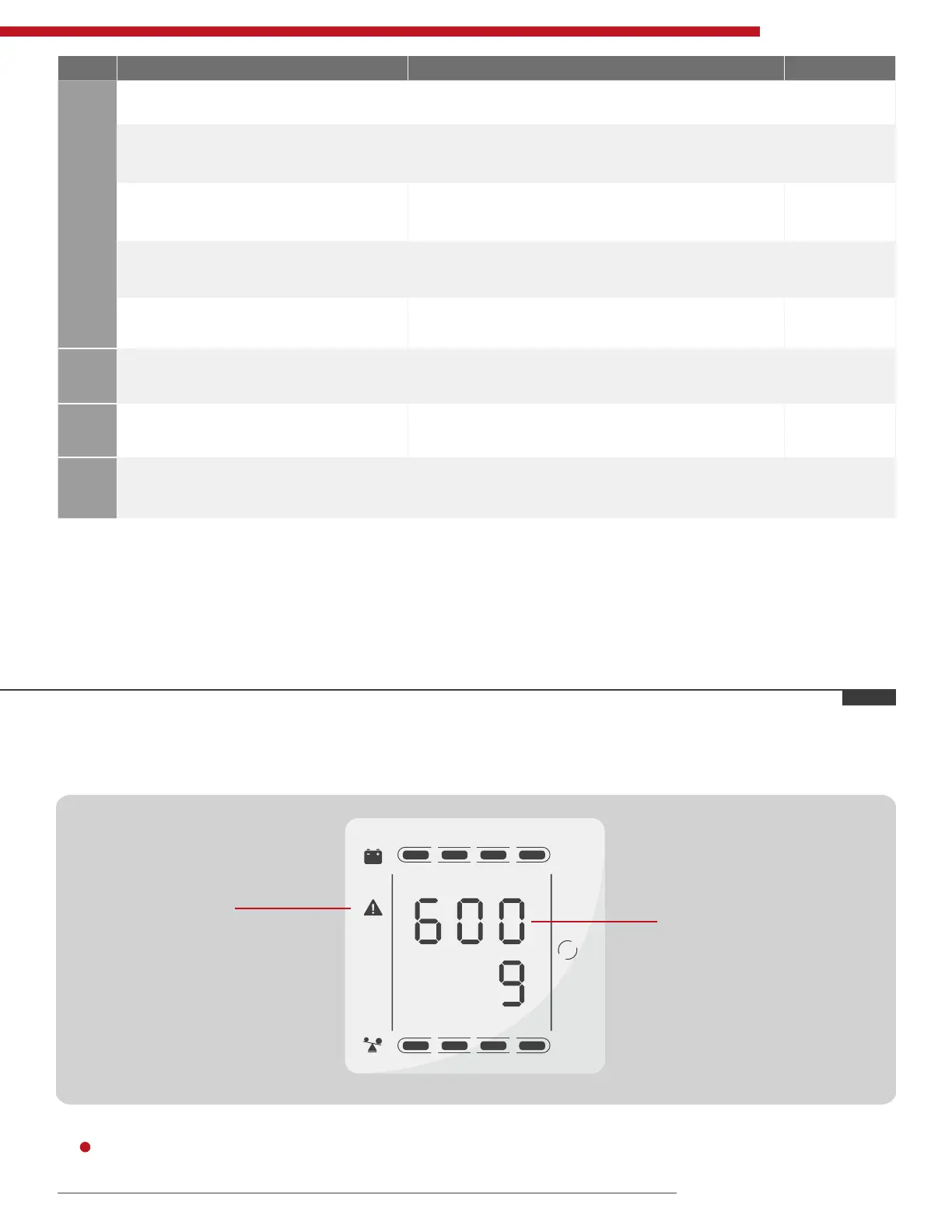
• The alarm code will be displayed in four digital tubes on the right of the numerical part of the LCD screen (red mark),
as shown below:
• The alarm truth table during operations is shown as below:
• ‘
’ signies the alarm occurs, blank signies no alarm appears.
Note:
• End user need to provide below information when require to maintain the UPS.
• UPS Model No. & Serial No.
• Date of fault occurrence.
• Fault details (LCD status, noise, AC power situation, load capacity, battery capacity conguration ect.).
Table 3: Alarm Code Display
25% 50% 75% 100%
25% 50% 75% 100%
LINE
Alarm icon
Alarm code
S/N Working Status LCD Display Messages Alarm Beep
5
Output Overload Protection
Warning for mains power overload Working mode displays Line, load icon ash
2 beeps /
sec
Protect operation for mains power
mode overload
Working mode displays FAULT and the
corresponding codes
Long beep
Warning for battery overload Working mode displays bAT, load icon ash
2 beeps /
sec
Protect operation for battery mode
overload
Working mode displays FAULT
and the corresponding codes
Long beep
6 Warning for bypass mode overload
Working mode displays byPASS,
load icon ash all the time
One beep /
2 sec
7 Fans fault (fan icon)
Fan icon ash, working mode displays
depending on current mode
One beep /
2 sec
8 Faults mode
Working mode displays FAULT, numerical value
area displays the corresponding error code
Long beep



 To Next Page