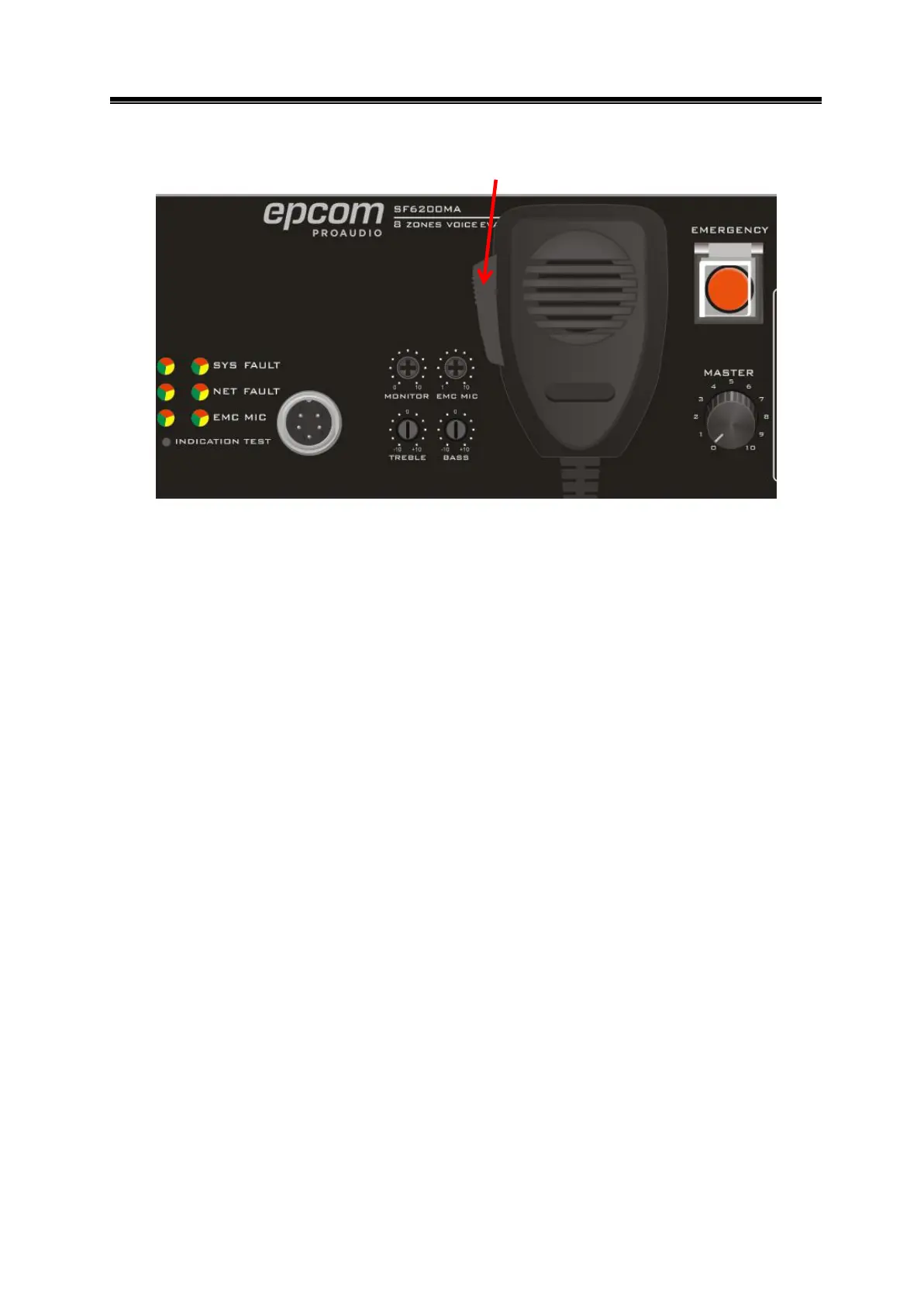
5.4 PTT paging
Press the EMERGENCY button, then press the button on the PTT microphone to turn on the
corresponding zone paging (need configure on PC). You can speak after the reminder tone.
Please do not release the button during the speaking or it will automatically turn off paging
and make a tone. In emergency mode PTT paging will automatically record and save the audio
in the TF card.
(Note: PTT has the highest priority in the system, but the host MP3 shared source is a separate
module, not subject to its intervention.)
5.5 Line detection
Detection accuracy: <25%
Minimum detection power: 10W
Maximum detection power: 500W
Installation of the new device requires sampling the speaker impedance, the specific operation
is as follows:
1. Install new equipment , connect speakers for each zone.
2. Press impedance detection button on the rear panel, the system will be connected to each
zone to sample the load, during sample period can hear during the relay inhalation of the
sound, when the lights all off, indicating that the load sampling success.
3. Verify the impedance detection is valid or not:
1) Open circuit detection ----- disconnect any zone output, press system fault self-test
button in the front panel until the sound and light self-test is completed, the indicates
is orange and computer state is open (open) then connected to the speaker, press the
self-test switch, and returned to normal state.


 To Next Page