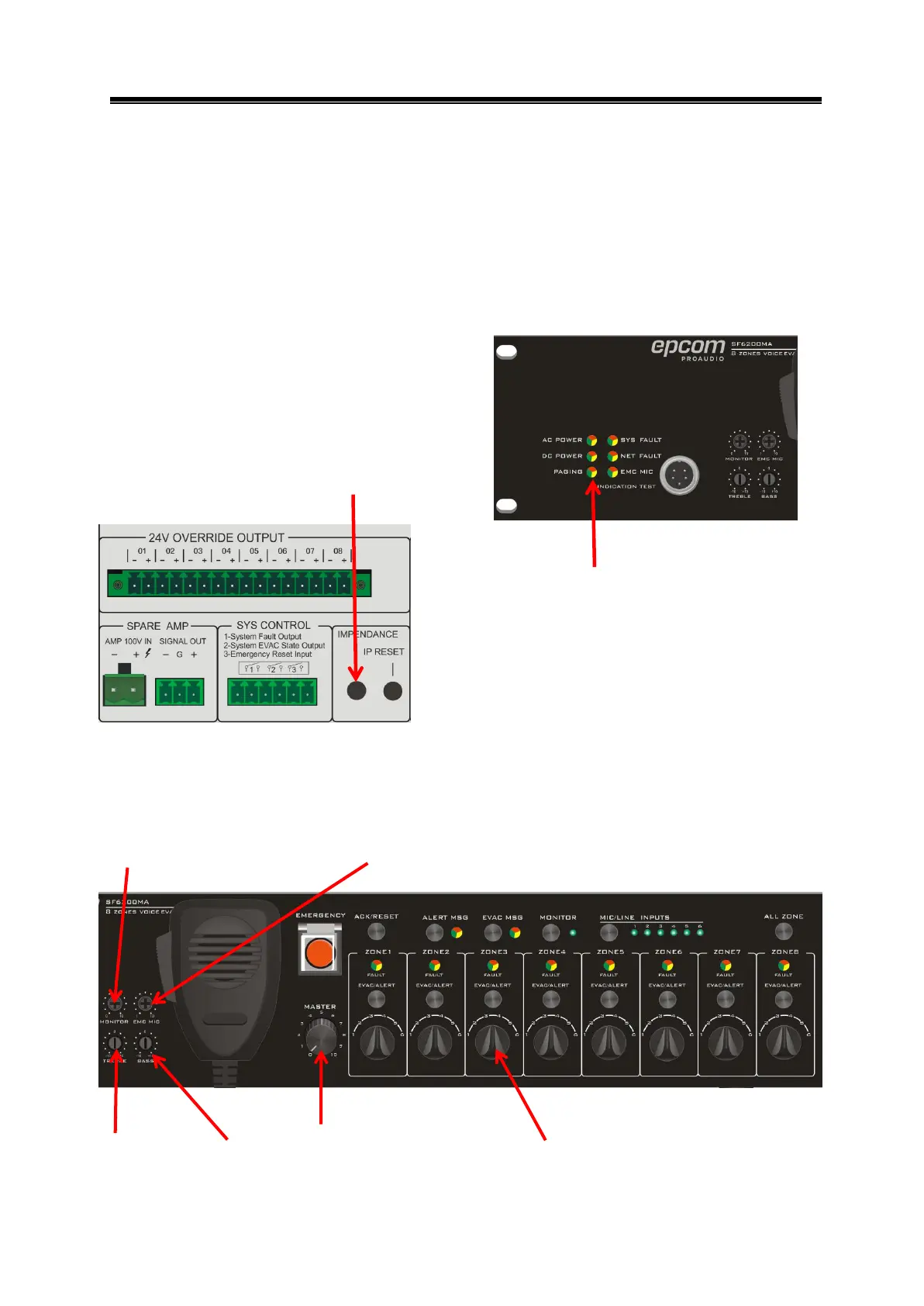
2) Short circuit test ------ Short circuit any zone output, do not need to press system fault
self-test button on the front panel, Indicates light is orange and computer status short
(short circuit). then connected to the speaker, press the self-test switch, and returned to
normal state.
3) Impedance 25% change detection ------ sampling 30W speaker impedance, plus or
minus 7W, press system fault self-test button on the front panel, the indicate light is
orange and computer status is fault. Then connected to the 30W speaker, press the
self-test switch, and returned to normal state.
5.6 Volume control
Monitor volume adjustment
Zone 1 ~ 8 volume adjustment
System fault self test button
Impedance detection button
Treble adjustment Bass adjustment


 To Next Page