1. Host volume control is control the volume of the entire machine, the adjustment will affect
the 1 ~ 8 zone volume. Zone volume adjustment only adjusts the corresponding zone volume,
does not affect other zones.
2. Amplifier output monitor
Press the MONITOR button to turn on or off the monitor, Light on means amplifier monitor is
turn on, light off means amplifier monitor is turn off.
5.7 IP address Reset
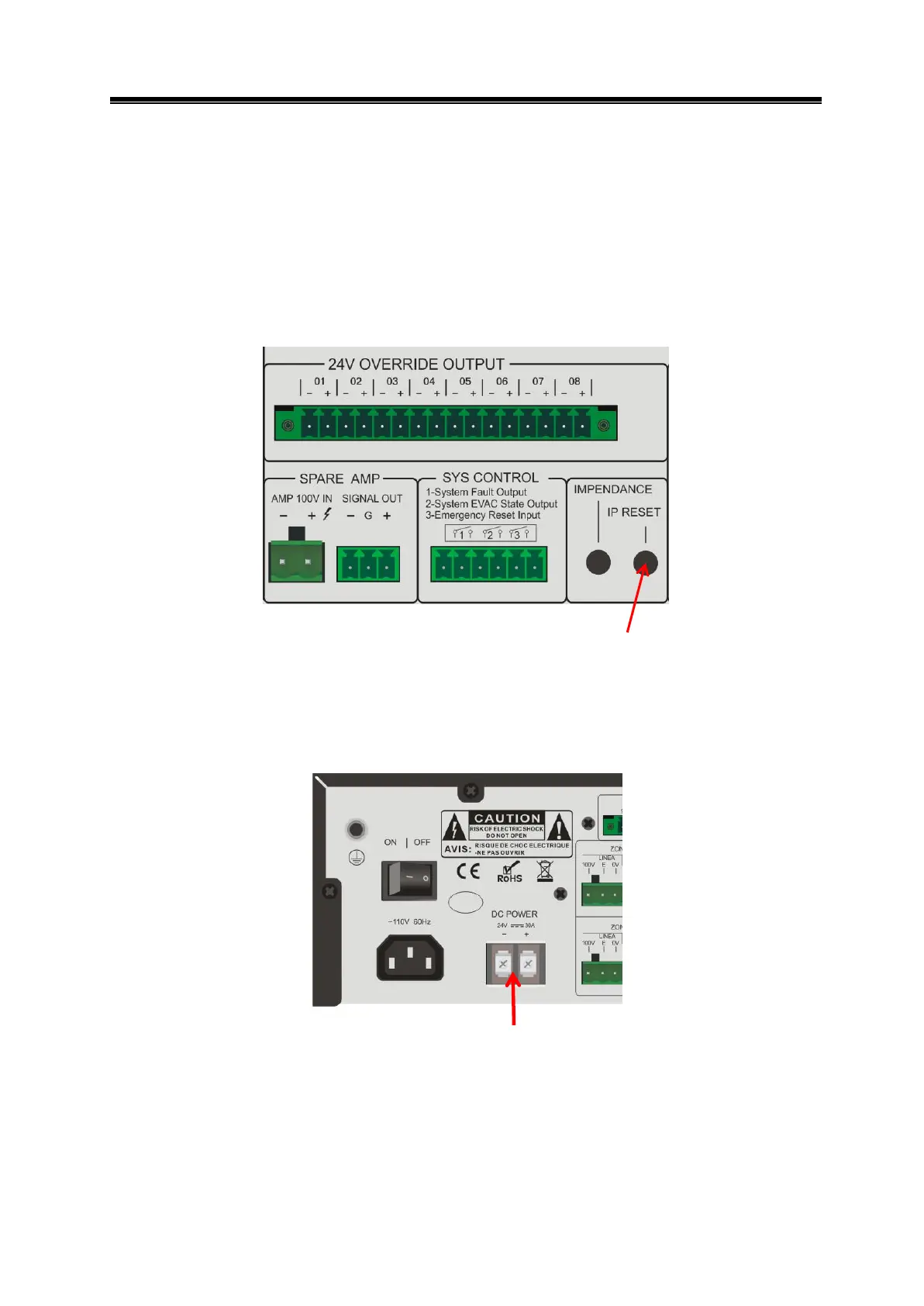
Press the IP reset button to reset the host IP address: 192.168.1.253.
5.8 Power-down switching function
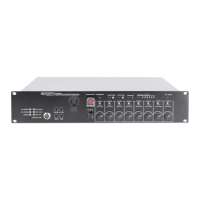
Connect battery of 24V 20A / H or above, 24V DC indicator light is green, when unplug ~ 110V
electricity plug, automatically switch to 24V power supply mode.
24V external power supply interface


 To Next Page