4 Operation
4.1 Buttons
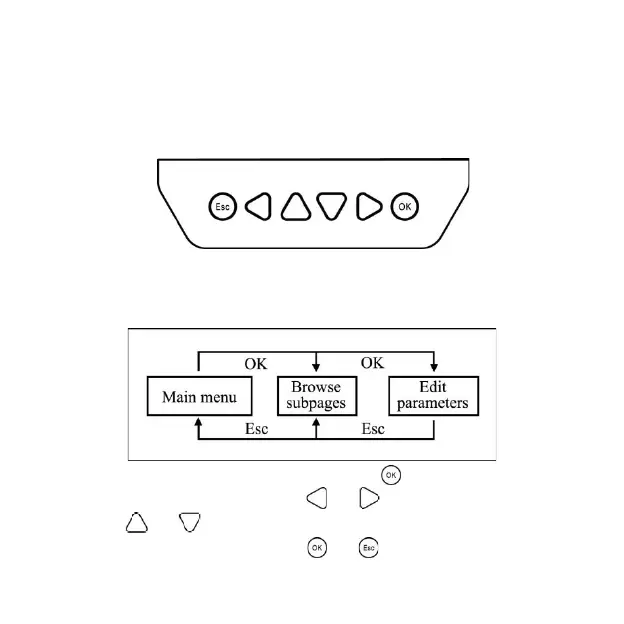
The buttons are respectively (from left to right) "ESC," "Left," "Up," "Down,"
"Right,"
and "OK "buttons. The operation is described in the schematic operation
diagram below:
The default entry page is the browse mode. Press the button and input the correct
password to enter the modification mode. and buttons could be used to move
the cursor. and buttons could be used to modify the parameter values when
the cursor is located at the current place. and buttons could be finally used to


 To Next Page