19
1. Connect the RS485 ports of MT75 to the controller and inverter.
2. Connect the MT75's dry contact interface to the inverter's
external switch port.
3. Set MT75's dry contact enable switch to ON state.
4. Set inverter switch to OFF state.
5. MT75 load ON/OFF button controls the inverter start or stop
remotely.
12.3 Advanced Application
1) Advantages
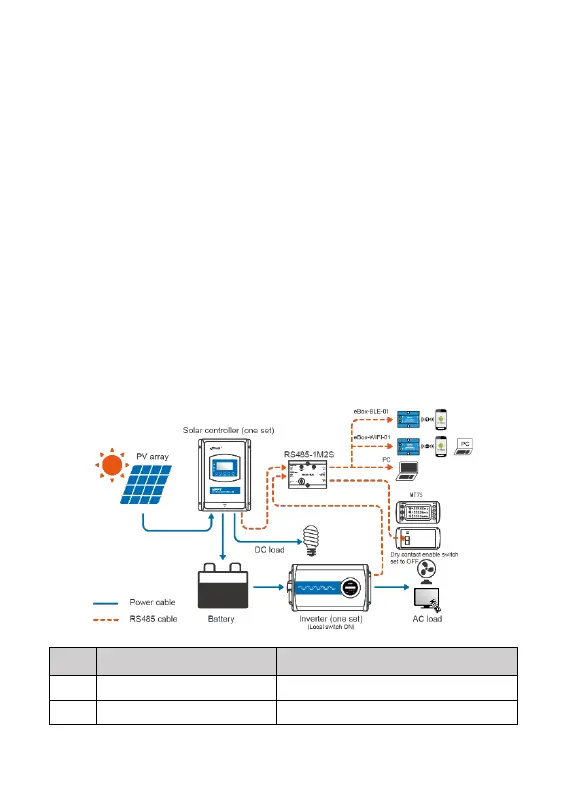
With the RS485-1M2S module, the MT75 can monitor the operational
status of the solar controller and inverter. Still, it also can connect with
an external WIFI module, BT module, or USB cable. The phone APP
or PC software can perform the parameter settings and operational
status monitoring. MT75 can also control the output of AC and DC
loads by the Load ON/OFF button.
2) Connection Diagram



 To Next Page