EasyManua.ls Logo

Epever SHI3000 - User Manual

Epever SHI3000
20 pages
Print Icon
To Next Page IconTo Next Page
Loading...
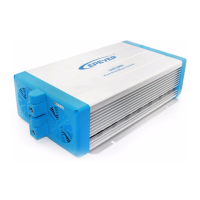
SHI Series Pure Sine Wave Inverter
(SHI2000 AND SHI3000)
The information presented in this document does not form
part of any quotation or contract, is believed to be accurate
and reliable and may be changed without notice.
Users Manual
Before using the inverter, you need to read and save the safety instructions.

Questions and Answers

  • J
    jennifer26Aug 8, 2025
    What to do if the fault red LED is on in Epever Inverter?
    • W
      Wayne GarrisonAug 8, 2025
      If the fault red LED is constantly on your Epever Inverter, it indicates an abnormality. First, disconnect all plugs and restart the device. If it functions correctly afterward, inspect the load and wiring. However, if the red LED persists, the inverter has internal issues and should be returned to the factory.
  • J
    James LopezAug 14, 2025
    What to do if load LED blink and fault red LED fast blink on Epever SHI3000?
    • M
      Michael ShortAug 14, 2025
      If the load LED is blinking and the fault red LED is blinking rapidly on your Epever Inverter, it means there's an overload or a short circuit in the load. Verify that the AC load is within the rated power limits and check for any load shorts.
  • T
    Troy FosterAug 20, 2025
    Why is the fault orange LED fast blinking on my Epever Inverter?
    • D
      Deborah HallAug 20, 2025
      If the fault orange LED is blinking rapidly on your Epever Inverter, it indicates that the inverter is overheating. To resolve this, improve ventilation by ensuring that the vents are not blocked. Allow the inverter to cool down before restarting it.
  • R
    Robert CrawfordAug 27, 2025
    What to do if the fault orange LED is on in Epever Inverter?
    • L
      Linda HaysAug 27, 2025
      If the fault orange LED is on your Epever Inverter, it signals an abnormal condition. Ensure the DC input terminals are securely tightened and that the input voltage is between 21.6V and 30V (or 43.2~60V for 48V products). Then, restart the inverter. If the orange LED remains lit, the inverter has internal faults and should be returned to the factory.
  • A
    Austin JohnsonSep 2, 2025
    How to fix input LED blink and fault red LED slow blink on Epever SHI3000 Inverter?
    • J
      jamesjonesSep 2, 2025
      If the input LED is blinking and the fault red LED is blinking slowly on your Epever Inverter, it indicates that the input voltage is either too high or too low. Measure the input voltage to confirm. The inverter should return to normal operation once the input voltage is within the correct range.

Summary

1. Introduction

2. Important Safety Instructions

3. Inverter Operation

4. Functions

Panel Components and Outlets

Details on the DC Input Panel, AC Output Panel, and optional outlets.

Indicators and Status

Explanation of LED indicators for input voltage, load levels, and output/fault status.

Alarms and Protections

Information on buzzer alarms, overload, short circuit, and voltage protections.

Operational Modes and Controls

Description of saving mode, mode switches, and switch node for inverter operation.

5. Troubleshooting

6. Maintenance and Warranty

7. Technical Specification

Technical Data

Detailed technical specifications for SHI2000 and SHI3000 series inverters.

Environmental Parameters

Working temperature, storage temperature, humidity, and altitude specifications.

Electrical Specifications

Insulation resistance and dielectric strength specifications for the inverter.

Epever SHI3000 Specifications

General IconGeneral
Rated Power3000W
Surge Power6000W
AC Output Frequency50Hz / 60Hz
CoolingFan cooling
DC Input Voltage48V
AC Output Voltage230V
ProtectionOverload, short circuit, over temperature
Operating Temperature-20°C to +50°C
ModelSHI3000

Related product manuals