EasyManua.ls Logo

Epever XTRA1206N - User Manual

Epever XTRA1206N
60 pages
Print Icon
To Next Page IconTo Next Page
Loading...
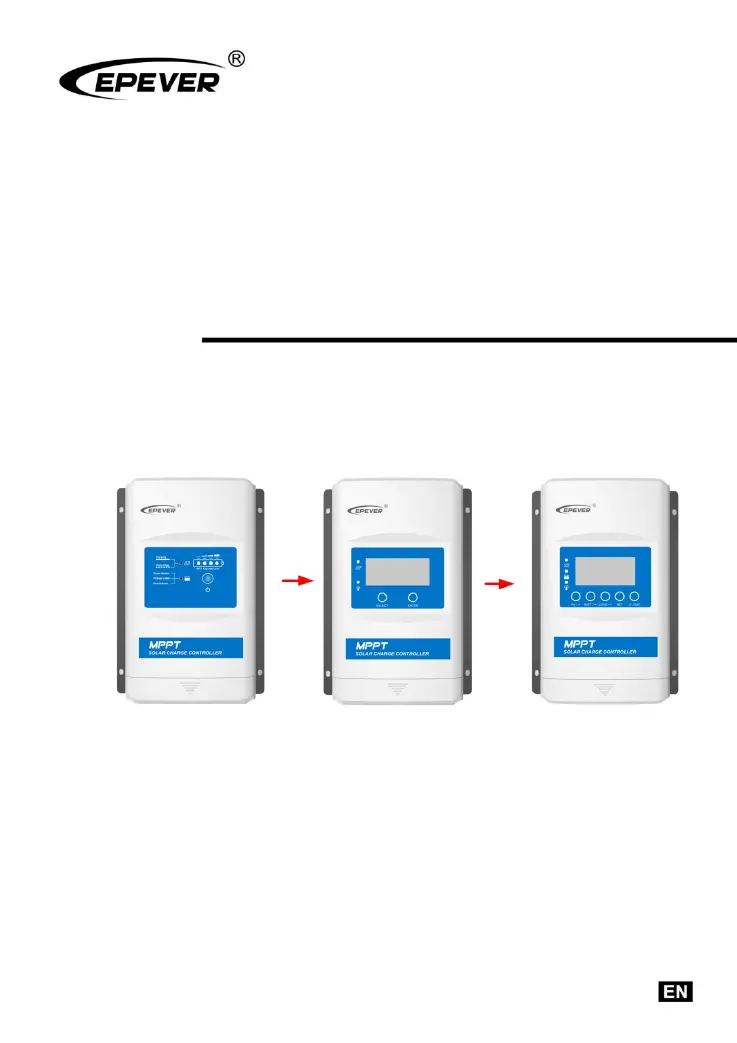
MPPT Solar Charge Controller
User Manual
Models:
XTRA1206N/XTRA2206N
XTRA1210N/XTRA2210N
XTRA3210N/XTRA4210N
XTRA3215N/XTRA4215N
XTRA3415N/XTRA4415N

Questions and Answers

  • K
    Kelly WuAug 2, 2025
    What to do if the battery voltage is lower than 8V on my Epever Controller?
    • D
      David PerryAug 2, 2025
      If your Epever Controller isn't working and the battery voltage is lower than 8V, even with correct wiring, ensure that the battery has at least 8V to activate the controller.
  • T
    Tamara McknightAug 6, 2025
    What to do if my Epever Controller shows Load Overload?
    • J
      joycehoodAug 6, 2025
      If your Epever Controller indicates a Load Overload, try reducing the number of connected electrical devices. Then, restart the controller and wait for a complete night-day cycle (with nighttime lasting more than 3 hours).
  • B
    Bryan JacksonAug 10, 2025
    What to do if my Epever XTRA1206N Controller indicates a Load Short Circuit?
    • M
      mgutierrezAug 11, 2025
      If your Epever Controller displays a Load Short Circuit error, carefully inspect the load connections and fix any faults. After correcting the issue, restart the controller and allow it to cycle through one complete night-day period (with nighttime exceeding 3 hours).
  • T
    Taylor TorresAug 15, 2025
    What happens if my Epever XTRA1206N is overheating?
    • T
      Tiffany FieldsAug 15, 2025
      If the Epever Controller's heat sink temperature exceeds 85 degrees Celsius, it will automatically cut off the input and output circuits. Normal operation will resume once the temperature drops below 75 degrees Celsius.
  • H
    hrodriguezAug 18, 2025
    What happens if the battery connected to my Epever XTRA1206N is overheating?
    • S
      Stephanie GonzalezAug 18, 2025
      If the battery overheats, the Epever Controller will automatically shut down the system. Once the temperature decreases to below 55 ºC, the controller will resume normal operation.
  • T
    Terry FischerAug 23, 2025
    Why does my Epever XTRA1206N Controller display a system voltage error?
    • H
      hillalexandraAug 23, 2025
      If the Epever Controller shows a system voltage error, ensure that the battery voltage matches the controller's working voltage. You may need to switch to a suitable battery or reset the working voltage.
  • A
    Austin ChristianAug 27, 2025
    Why is my Epever XTRA1206N not working when the battery voltage is lower than 9V?
    • Y
      yvonneowensAug 27, 2025
      To activate the Epever Controller, ensure the battery voltage is at least 9V.

Summary

Important Safety Instructions

General Safety Information

Key safety guidelines for installing and operating the MPPT solar charge controller.

General Information

Overview of XTRA N Series Controllers

General description of the XTRA N series MPPT solar charge controller, its features, and applications.

Controller Characteristics

Details the key physical and functional characteristics of the solar charge controller.

Model Naming Convention

Explains the model naming convention for the EPEVER XTRA N series controllers.

Product Model Classification

Categorizes XTRA N series controllers by display unit type and key features.

Installation Guide

Installation Precautions

Important safety and handling precautions before installing the solar charge controller.

PV Array Connection Requirements

Guidelines for connecting the PV array, including voltage and current considerations.

Wire Size Recommendations

Recommended wire gauges for PV, battery, and load connections based on current capacity.

Controller Mounting Instructions

Steps and considerations for properly mounting the solar charge controller for optimal performance.

Display Unit Operations

Basic Display Unit (XDB1) Features

Details the LED indicators, buttons, and functionality of the XDB1 basic display unit.

Standard Display Unit (XDS1) Interface

Explains the LED indicators, buttons, and LCD interface of the XDS1 standard display unit.

Advanced Display Unit (XDS2) Interface

Describes the LED indicators, buttons, and LCD interface of the XDS2 advanced display unit.

Parameter Configuration

Battery Parameter Settings

Configuration of battery types, local, and remote parameters for optimal charging.

Remote Parameter Adjustment

Methods for adjusting controller parameters remotely via PC software or mobile application.

Load Working Mode Selection

Options for configuring the load output's operating modes and timers.

System Protection and Maintenance

Controller Protection Functions

Overview of built-in protections against electrical faults, overloads, and environmental factors.

Troubleshooting Common Issues

Solutions for identifying and resolving common operational faults and error indicators.

Routine Maintenance Procedures

Recommended checks and cleaning tasks for maintaining controller performance and longevity.

Technical Specifications Overview

Electrical Performance Data

Key electrical parameters including voltage, current, power, and conversion efficiency.

Environmental Operating Conditions

Specifies the temperature, humidity, and enclosure ratings for controller operation.

Mechanical and Physical Data

Dimensions, mounting hole size, and recommended terminal wire sizes.

Product Certifications and Compliance

Lists safety and regulatory compliance standards met by the controller.

Conversion Efficiency Analysis

12 V System Conversion Efficiency Curves

Conversion efficiency curves for XTRA1206N at 12V system voltage, showing MPP voltage variations.

24 V System Conversion Efficiency Curves

Conversion efficiency curves for XTRA1206N at 24V system voltage, showing MPP voltage variations.

Epever XTRA1206N Specifications

General IconGeneral
ModelXTRA1206N
Rated Charge Current10A
Rated Load Current10A
System Voltage12V/24V Auto
Max. PV Input Voltage100V
Max. PV Input Power (12V)130W
Max. PV Input Power (24V)260W
Charge Circuit Voltage Drop≤0.26V
Discharge Circuit Voltage Drop≤0.15V
Altitude≤ 3000m
CoolingNatural cooling
Protection DegreeIP32
GroundingNegative grounding
Battery TypeGel
Battery voltage range8V-32V
Temperature Compensation-3mV/°C/2V (Default)
Self-consumption (12V)≤14mA
Self-consumption (24V)≤11mA
RS485 InterfaceYes
Humidity10%~90% (Non-condensing)

Related product manuals