EasyManua.ls Logo

Epever MPPT - User Manual

Epever MPPT
40 pages
Print Icon
To Next Page IconTo Next Page
Loading...
User Manual
MSC2210N
MSC3210N
MSC4210N
MSC4215N
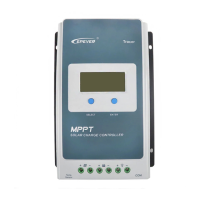
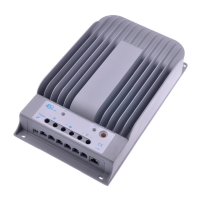
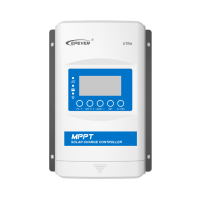
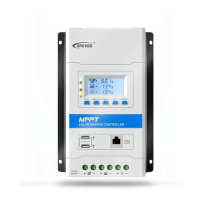
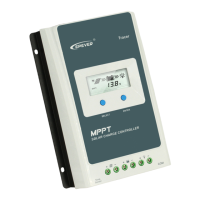
MPPT Solar Charge Controller

Other manuals for Epever MPPT

Questions and Answers

  • J
    Jennifer BerryJul 27, 2025
    What to do if the fault indicator is solid and the load is off on my Epever MPPT?
    • W
      Wendy RowlandJul 27, 2025
      If the fault indicator is solid and the load is off, it could be due to an overload. Try reducing the number of connected electrical devices. Alternatively, the issue may be a load short circuit, in this case carefully check the load connections and clear the fault. Restarting the controller or pressing the button may also clear the fault.
  • L
    Lindsey OliverJul 31, 2025
    Why is the charging indicator flashing green fast on my Epever MPPT?
    • D
      Deborah RamseyJul 31, 2025
      A rapidly flashing green charging indicator suggests the battery voltage is too high. Verify that the battery voltage does not exceed the OVD (over voltage disconnect voltage), and disconnect the PV array connection.
  • B
    Brett RileyAug 4, 2025
    What to do if the battery indicator is solid red on my Epever Controller?
    • A
      amandaevansAug 4, 2025
      A solid red battery indicator means the battery is over discharged. The controller will automatically restore load output once the battery is fully charged. You can also try other ways to recharge the battery.
  • B
    barbaradoughertyAug 9, 2025
    What does it mean if the fault indicator is solid, and the PV and battery indicators flash orange fast on my Epever Controller?
    • R
      robert18Aug 9, 2025
      This indicates that the controller is overheating. When the heat sink of the controller exceeds 85 degrees Celsius, it will automatically cut off the input and output circuit. The controller will resume work when the temperature drops below 75 degrees Celsius.
  • R
    robert81Aug 13, 2025
    What does it mean if the battery indicator flashes red slowly on my Epever MPPT?
    • M
      Megan PerezAug 13, 2025
      A slow, red flashing battery indicator indicates that the battery is overheating. The controller will resume normal operation once the temperature decreases to below 55 degrees Celsius.
  • D
    Deborah JonesAug 17, 2025
    How to fix the issue when charging LED is off during daytime on Epever MPPT Controller?
    • J
      josephcurtisAug 17, 2025
      If the charging LED is off during the day, the PV array may have an open circuit. Confirm the connection of the PV array is correct and tight.
  • J
    Joshua CollinsAug 22, 2025
    What to do if the wire connection is correct but my Epever MPPT is not working?
    • J
      Jeffrey DeckerAug 22, 2025
      If the controller isn't working despite correct wiring, the battery voltage might be too low. Check the battery voltage; it needs to be at least 8V to activate the controller.

Summary

Important Safety Instructions

Symbol Explanations

Explains the meaning of symbols used in the manual for safety.

Professional Personnel Requirements

Outlines qualifications and knowledge needed for personnel handling the controller.

Authorized Personnel Actions

Details tasks authorized personnel can perform on the controller.

Pre-Installation Safety Precautions

Provides warnings and precautions to be taken before installing the controller.

Mechanical Installation Safety Advice

Offers specific safety advice for the physical installation of the controller.

Electrical Connection Safety Guidelines

Highlights safety measures for making electrical connections to the controller.

Controller Operation Safety Tips

Advises on safe practices during the operation of the controller.

Hazardous Operations and Risks

Lists actions that could lead to fire, explosion, or electric arc.

Safe Controller Shutdown Procedures

Provides guidance on safely shutting down or stopping the controller.

Maintenance Safety Instructions

Gives safety instructions for performing maintenance on the controller.

General Product Information

Product Overview and Features

Provides a general description of the MSC-N series solar controller and its features.

Controller Component Identification

Connection Diagrams

Model Numbering System

Explains the coding system used for model names.

Wiring Diagram: Battery Mode

Illustrates the wiring setup for the controller when connected to a battery.

Wiring Diagram: No-Battery Mode

Shows the wiring diagram for operating the controller without a battery.

User Interface and Indicators

LED Indicator Meanings

Describes the LED indicators on the controller and their meanings.

Button Operation Guide

Explains the function of the controller's buttons.

Supported Battery Type Selection

Lists the supported battery types and how to select them.

Battery Voltage Parameters

Load Output Management

Load Voltage and Priority Settings

Details how to configure load output voltage and prioritize load operation.

Load Output Operation Modes

Explains different operating modes for the load outputs.

External Controller Accessories

Lists accessories that can be connected to the controller.

Installation Procedures and Precautions

General Installation Precautions

Provides general precautions and guidelines for installing the controller and batteries.

PV Array Connection Requirements

Specifies requirements for PV module connections and array configuration.

Maximum PV Array Power Handling

Explains the limit current/power function for PV array input.

PV Wire Size Selection Guide

Provides guidelines for selecting appropriate wire sizes for PV connections.

Battery and Load Wire Sizing

Details wire size recommendations for battery and load connections.

Controller Mounting and Wiring

Mounting Location and Airflow Requirements

Details the procedures and considerations for mounting the controller.

System Grounding Guidelines

Explains the grounding requirements and procedures for the controller.

Temperature Sensor Connection

Guides on connecting the optional remote temperature sensor.

Initial Controller Power-Up

Instructions for powering up the controller after installation.

Controller Protection Features

Detailed Protection Mechanism Descriptions

Lists and explains the various protection mechanisms of the controller.

Troubleshooting Common Issues

Provides solutions for common faults and issues encountered with the controller.

Recommended Maintenance Schedule

Recommends periodic inspections and maintenance tasks for optimal performance.

Technical Specifications

PV Conversion Efficiency Curves

Load Conversion Efficiency Curves

Epever MPPT Specifications

General IconGeneral
DisplayLCD
TypeSolar Charge Controller
Nominal System Voltage12V/24V Auto (depending on the model)
Max Charging Current10A to 40A (depending on the model e.g., 10A for Tracer1210AN)
CommunicationRS485
Rated Battery Voltage12V/24V Auto
Protection FeaturesOver Voltage, Reverse Polarity, Over Discharge, Over Heating, Over Load
EfficiencyUp to 98%
DimensionsVaries with model.
ModelTracer AN series (e.g., Tracer1210AN, Tracer2210AN, Tracer3210AN, Tracer4210AN, Tracer1215AN, Tracer2215AN, Tracer3215AN, Tracer4215AN)

Related product manuals