EasyManua.ls Logo

Epever XTRA4215N - User Manual

Epever XTRA4215N
60 pages
Print Icon
To Next Page IconTo Next Page
Loading...
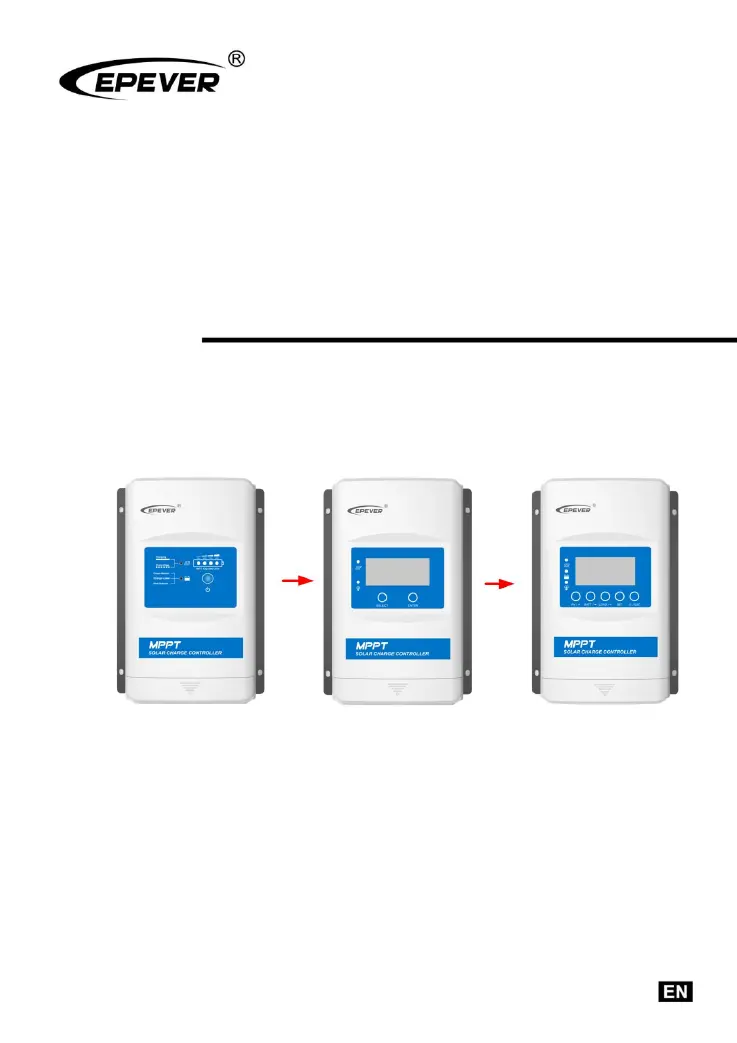
MPPT Solar Charge Controller
User Manual
Models:
XTRA1206N/XTRA2206N
XTRA1210N/XTRA2210N
XTRA3210N/XTRA4210N
XTRA3215N/XTRA4215N
XTRA3415N/XTRA4415N

Questions and Answers

  • E
    Emily LeeSep 10, 2025
    Why is the load and fault icon blinking on my Epever XTRA4215N?
    • D
      David JonesSep 10, 2025
      The blinking load and fault icon on your Epever Controller indicates a load short circuit. Carefully check the load connections, correct the fault, restart the controller, and wait for one night-day cycle (night time>3 hours).
  • W
    William ShieldsAug 23, 2025
    How to fix the charging LED indicator off during daytime when sunshine falls on PV modules properly on my Epever XTRA4215N Controller?
    • J
      Joe WolfAug 23, 2025
      If the charging LED indicator is off during the daytime when sunshine falls on PV modules properly, confirm that the PV wire connections are correct and tight.
  • F
    fkeyAug 25, 2025
    What to do if the load and fault icon blink on my Epever Controller?
    • P
      Pamela MullinsAug 25, 2025
      If the load and fault icon blink on your Epever Controller, it indicates a load short circuit. Carefully check the load connection, clear the fault, restart the controller, and wait for one night-day cycle (night time>3 hours).
  • S
    Stephen BarnesAug 27, 2025
    What to do if the load has no output on my Epever XTRA4215N Controller?
    • A
      Anita FieldsAug 27, 2025
      If the load has no output on your Epever Controller, it's likely due to a load overload. Reduce the number of electrical devices connected and restart the controller.
  • D
    daniellejohnsonAug 27, 2025
    Why my Epever XTRA4215N Controller shows system voltage error?
    • G
      gcaseyAug 28, 2025
      If there is a system voltage error on your Epever Controller, it means that the battery voltage does not match the controller's working voltage. Change to a suitable battery or reset the working voltage.
  • V
    Veronica AlvaradoAug 29, 2025
    What does it mean when the charging indicator is green fast flashing on my Epever Controller?
    • A
      Anthony PalmerAug 29, 2025
      If the charging indicator on your Epever Controller is flashing green rapidly, it signifies a battery over voltage. Check if the battery voltage is higher than OVD (over voltage disconnect voltage), and disconnect the PV.
  • C
    Christopher SavageSep 18, 2025
    Why is my Epever XTRA4215N not working even though the wire connections are correct?
    • S
      Stephen HallSep 18, 2025
      If your Epever Controller is not working despite correct wiring, the battery voltage may be too low (lower than 8V). Check the battery voltage and ensure it is at least 8V to activate the controller.
  • A
    Anthony JonesSep 12, 2025
    What does it mean when the PV/BATT(orange)/Battery capacity level indicator is fast flashing on my Epever XTRA4215N?
    • L
      Lisa MeyerSep 12, 2025
      A fast flashing PV/BATT(orange)/Battery capacity level indicator on your Epever Controller signifies that the controller is overheating. The controller will automatically cut off input and output circuits when the heat sink temperature exceeds 85°C. It will resume working when the temperature drops below 75°C.
  • K
    Keith HarrisSep 8, 2025
    What to do if the Epever XTRA4215N Controller load has no output and the load/fault icon is blinking?
    • R
      ricecaitlinSep 8, 2025
      If the load is not outputting and the load/fault icon is blinking on your Epever Controller, it indicates a load overload. Reduce the number of connected electrical devices, restart the controller, and wait for one night-day cycle (night time>3 hours).
  • T
    Terry RowlandSep 5, 2025
    What to do if my Epever XTRA4215N is not working, even though the wire connection is correct?
    • E
      Elizabeth SolisSep 5, 2025
      If your Epever Controller is not working despite correct wire connections, the battery voltage may be too low. Ensure the battery voltage is at least 8V to activate the controller.

Summary

Safety Instructions

General Safety Guidelines

Provides essential safety precautions for controller installation and operation.

General Information

Product Overview

Details the advanced MPPT control algorithm, features, and applications of the XTRA N series controller.

Product Features and Characteristics

Describes the physical features, components, and specifications of the solar charge controller.

Installation Guide

Installation Precautions

Lists critical safety and operational considerations before proceeding with controller installation.

PV Array Connection Requirements

Outlines rules for PV array serial connection, voltage, and power limits for optimal performance.

Parameter Configuration

Battery Parameters

Details supported battery types and local adjustment options for charging and discharging parameters.

Additional Information

Protection Features

Lists comprehensive protection mechanisms against electrical faults, overloads, and environmental hazards.

Troubleshooting Guide

Offers solutions for common operational issues, faults, and error indications encountered with the controller.

Technical Specifications

Electrical Specifications

Lists electrical specifications such as voltage, current, power, and efficiency for different models.

Epever XTRA4215N Specifications

General IconGeneral
BrandEpever
ModelXTRA4215N
CategoryController
LanguageEnglish

Related product manuals