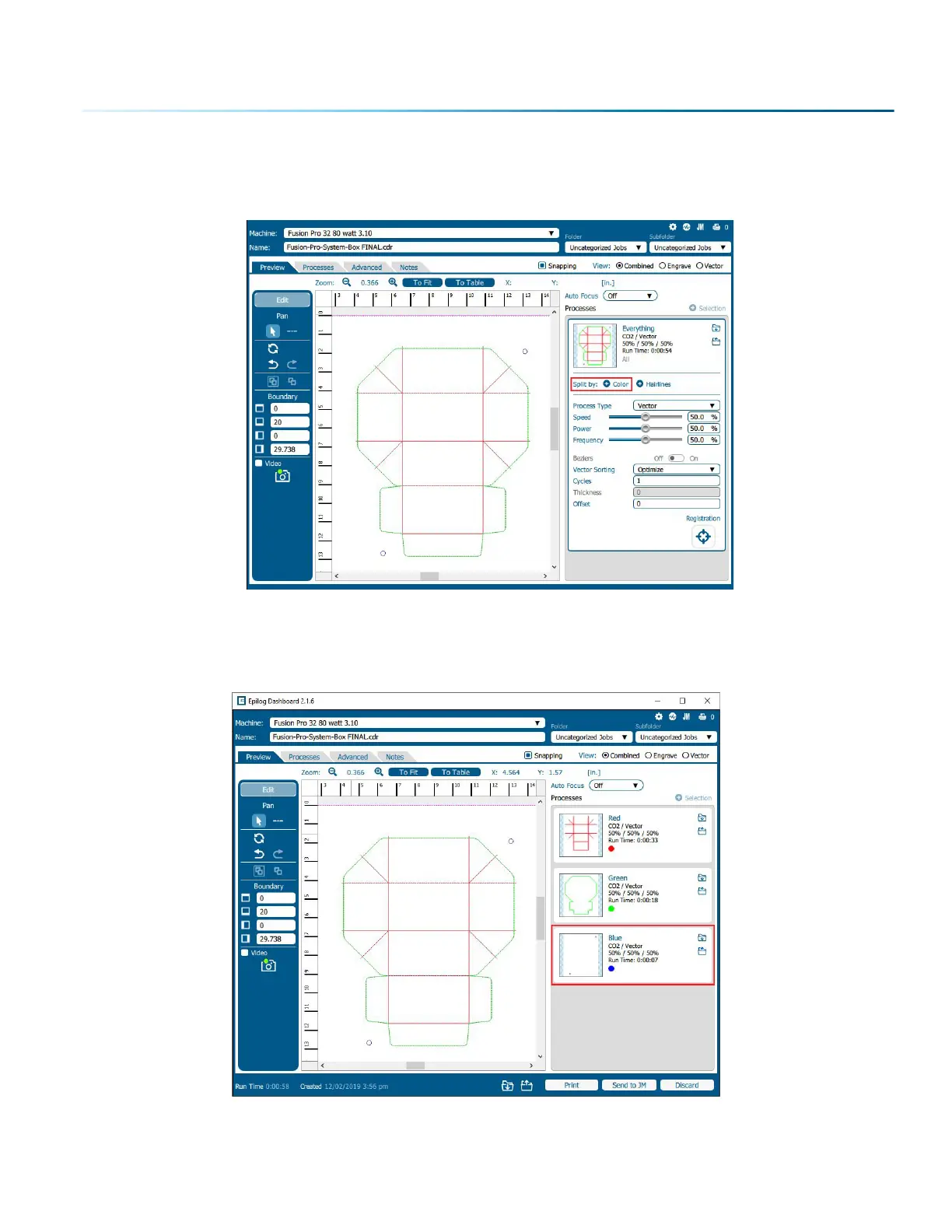
5. For Registration Camera jobs you must use Color Mapping. In the Processes Tab, select the process
and then click “Split By Color”. For instructions on Color Mapping, see ”Split by Color (Color
Mapping)” on page 66 in your manual.
6. Enter your laser settings for each process that isn’t the registration mark process.
7. Select the color process you have assigned to the registration marks. In this example we are
selecting the Blue process.
- 121 -
SECTION 8: SYSTEM FEATURES


 To Next Page
 Loading...









