SECTION 6: CONTROL PANEL
Display
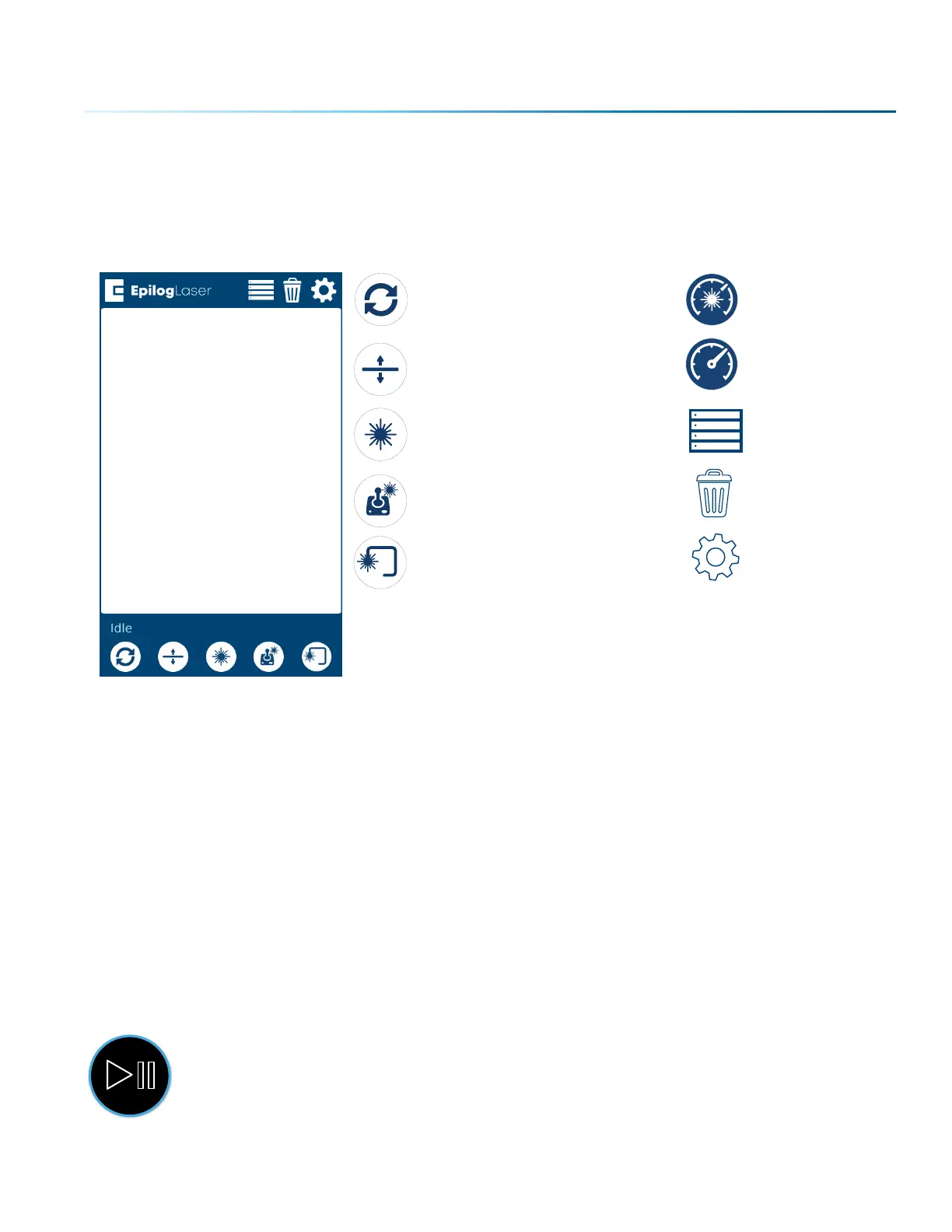
The display shows valuable information associated with the highlighted Functional Menu items. We will
explain the dierent information that will be displayed as we go through the description of each menu
item.
Reset Speed
Focus Menu Power
Pointer Job Menu
Jog Menu Delete
Trace Settings Menu
Status Indicator
In the bottom le corner of the screen you will see text displaying the current status of the machine.
• Homing: This indicates the machine is still powering on. None of the functions are available until
powering on is completed.
• Idle: The machine is inactive and ready to run or resume a job.
• Running: A job is in progress when this is displayed.
• Parking: The axis is returning to Home position.
• Jogging: Jog mode is active.
Symbols
Go/Stop Button
Press the Go/Stop button to start and pause a job.
- 93 -



 To Next Page
 Loading...








