Setting Up Adobe Illustrator for the Laser
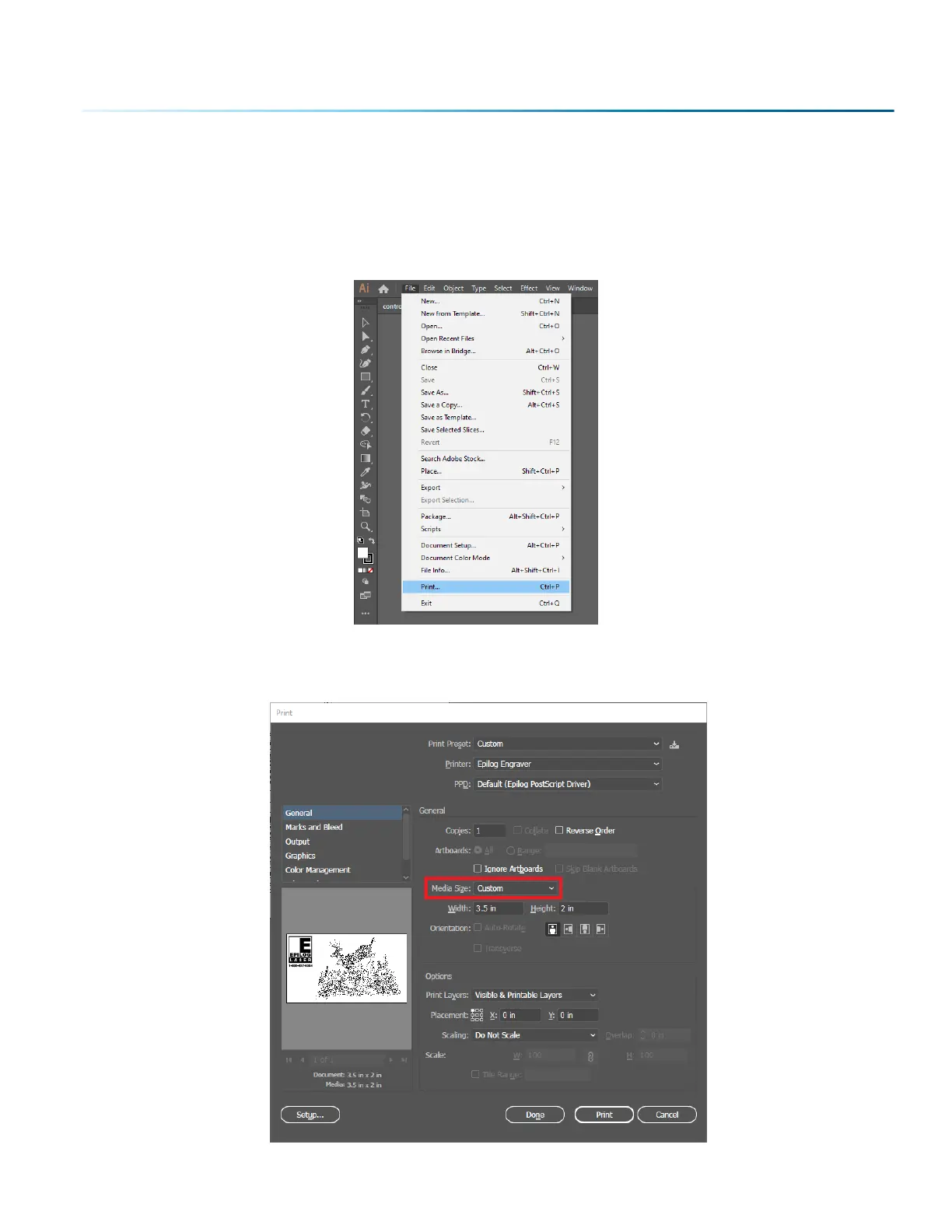
If you are using Adobe Illustrator, you will need to use the following settings when printing to the Soware
Suite.
1. In Illustrator click File > Print when you’re ready to send your artwork to the Soware Suite.
2. In the print settings, under Printer select “Epilog Engraver”, then set the Media Size to “Custom” .
Doing this will automatically feed the correct page size to the Epilog Engraver driver. Then click
“Print” to send your job to the Epilog Soware Suite.
- 61 -
SECTION 5: THE LASER DASHBOARD



 To Next Page
 Loading...








