16
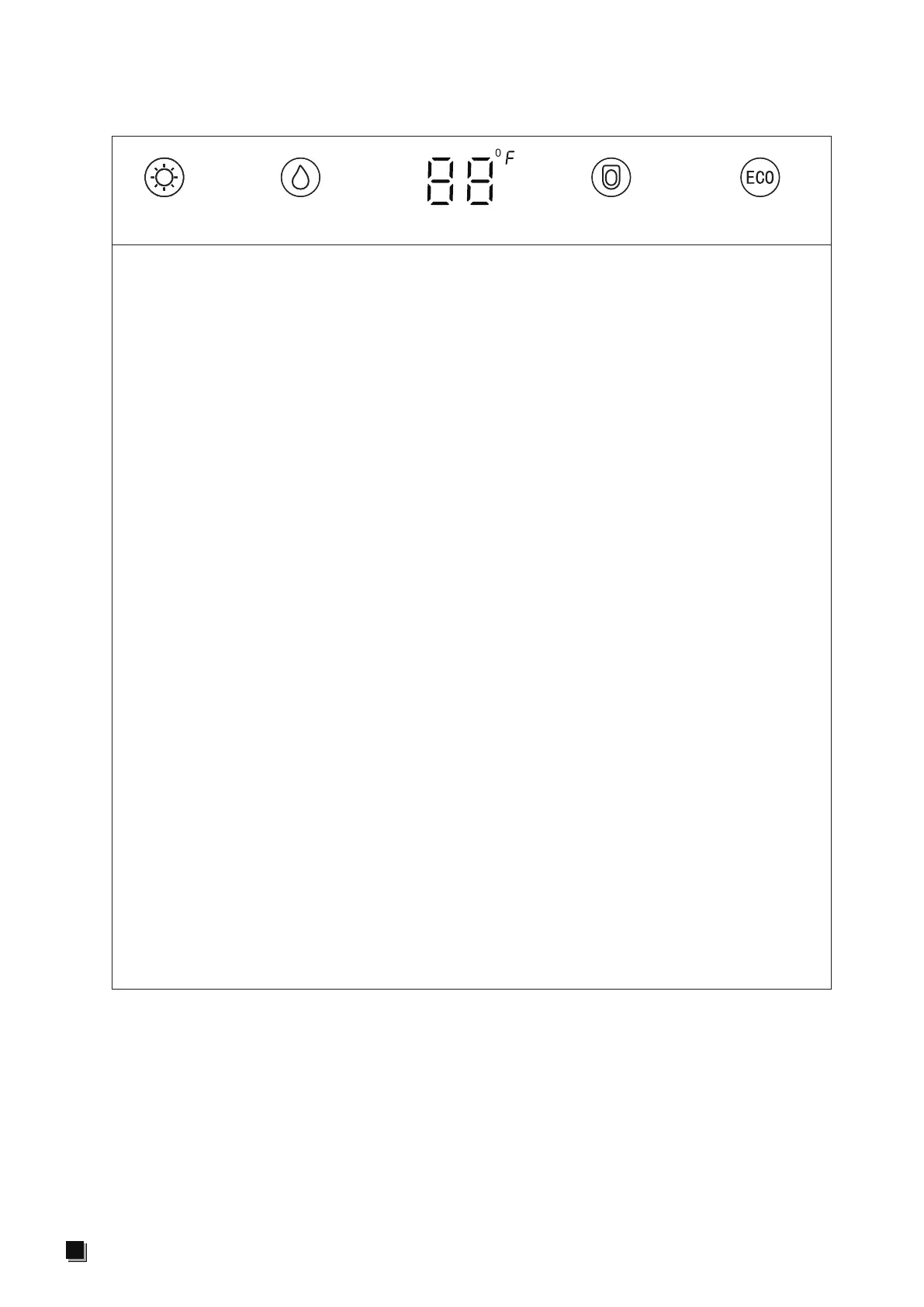
Display LED description
Description of display LED light:
1. During the power on self-test stage, the icons of intelligent night light, water
temperature, seat temperature and ECO are all on, and the temperature is
displayed at 88 ℉. After the self-test, the icons of intelligent night light, water
temperature and ECO go out, and the seat temperature icon lights up to display the
seat temperature of the current grade and the neutral position displays "--".
2. When the device is in non power saving state, the seat temperature icon lights up
to display the current seat temperature in default, and the neutral position displays
"--".When adjusting the water temperature, the seat temperature icon goes out, the
water temperature icon lights up to display the water temperature of the current
grade, and the neutral position displays "--". The water temperature icon goes out
after 10s to restore the seat temperature display;
3. In the process of cleaning, the seat temperature icon goes out and the water
temperature icon lights up to display the water temperature of the current grade,
and the neutral position displays "--".
4. When the intelligent night light function is on, the icon will be on, otherwise it will be
off;
5. In the power saving state, the ECO icon is on, neutral grade of the seat temperature
shows neutral, and the non neutral shows first grade;
6. When the power is off, all the screen displays are off;
7. When the toilet is not in use, all the screen displays will go out after 30 seconds.
When someone is sitting or operating any key of the product, the screen will return
to the current state of the display device;
8. When it detects person approaching, if the screen is in the off state, the current
state of the display device will be restored. When it detects person leaving, all
the screen displays will be off after 30 seconds (only applicable to the toilet with
sensor cover auto-open function).
ECO energy savingseat temperature temperature displaywater temperature
intelligent
night light


 To Next Page