Product overview6
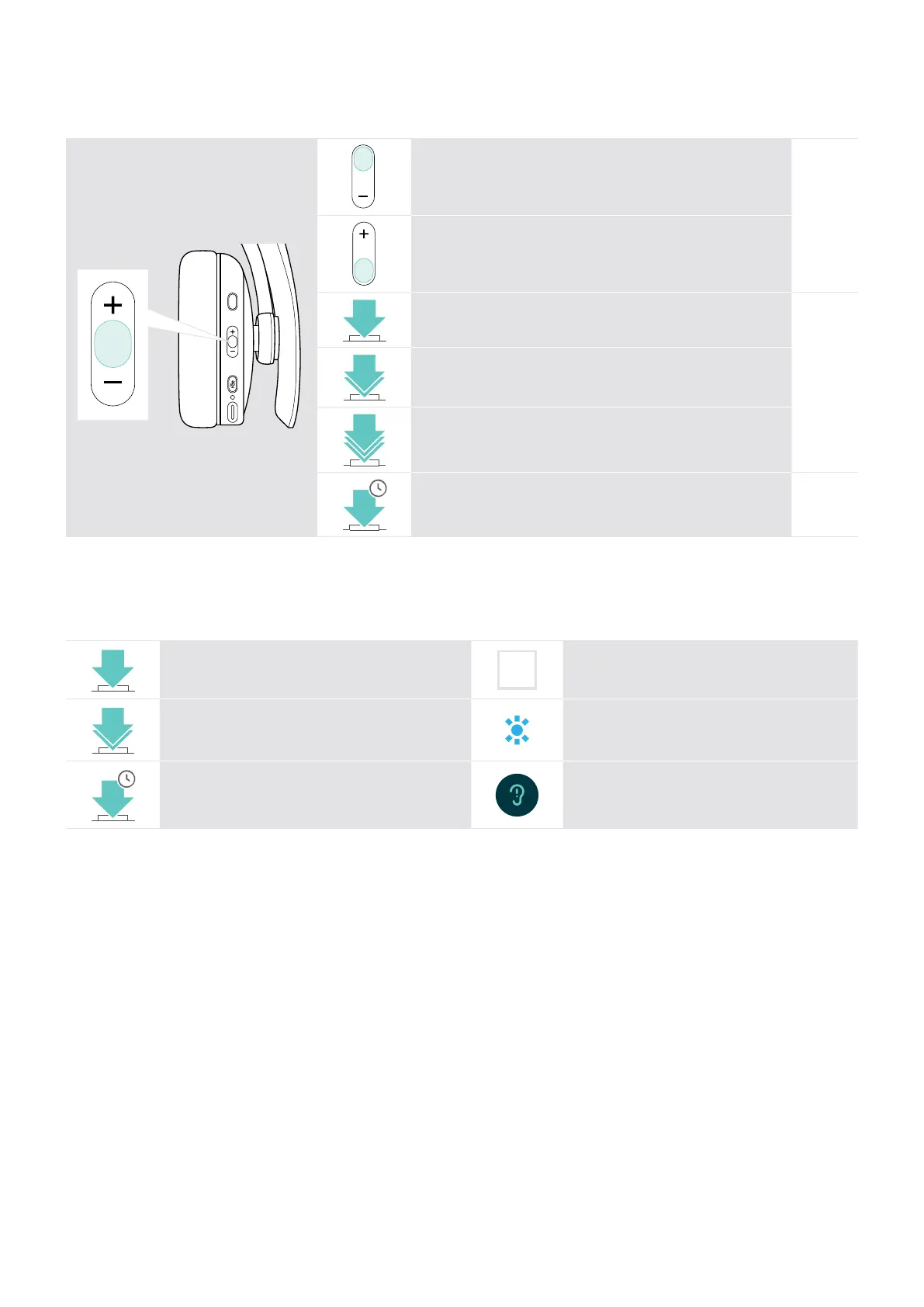
Multifunction button Press Function Page
Increases the volume (press or press and hold)
13
Decreases the volume (press or press and hold)
Starts / pauses audio playback
18
2x
• Skips to the next track
• Press and hold: Fast-forwards the track*
3x
• Skips to the previous track
• Press and hold: Rewinds the track*
4s
Clears pairing list (Pairing mode):
Press Power & Multifunction button
25
* These functions are not supported by all connected Bluetooth devices.
Overview of the icons
Tap the button
i
Notes: Good to know
2x
Press the button twice LED indications
3s
Press and hold the button Voice prompt is announced







 To Next Page