7
4 Technical description
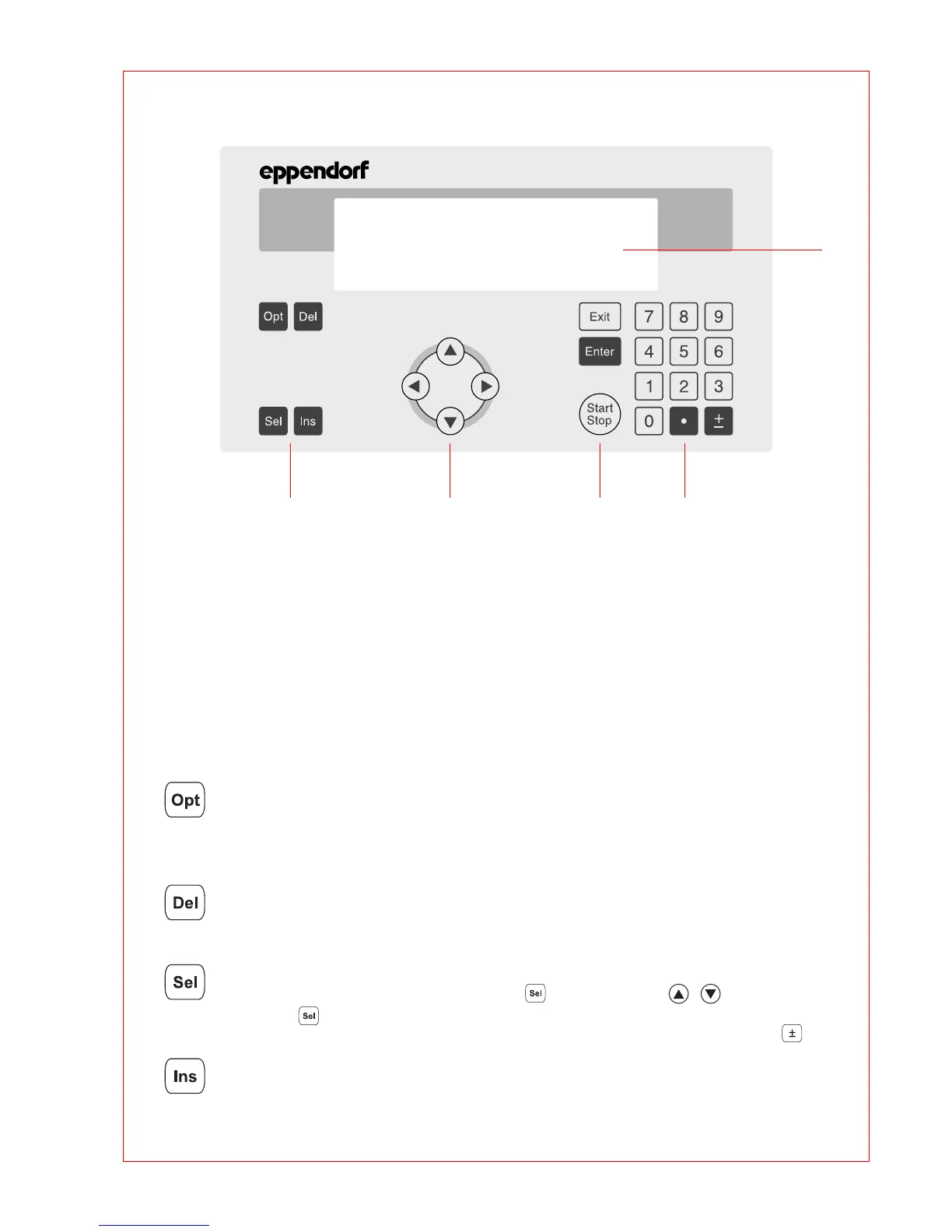
Fig. 4: Display and control panel
1 Programming keys
2 Cursor keys
3 Control keys
4 Digit entry block, decimal point and reverse sign key
5 Display
4.2 Keys
Programming keys
– When this key is pressed, the approximate remaining run time of a program and the time of
the expected end of the program appears in the display for approximately five seconds.
– To select programming options for the "Temperature" command (ramp, gradient,
increment).
– To delete program lines, digits or letters or to reset parameters. Holding down the key
deletes not only individual letters but also a complete name.
– To select a program command or to select from a list.
– A menu item can be selected using the key instead of the keys.
– The key can also be used to select from a list and to enter the letters of program
names. The direction of selection of the letters can be changed by pressing the key.
– To insert program lines during the creation of a program.



 To Next Page