22
6 Operation
If the program contains the "CNTRL/TUBE"
command (temperature control set to
sample), it is necessary to enter the tube
type and the filling volume after the
program has started.
– Select the tube type: 0.2 ml, 0.5 ml
(e.g. Safe-Lock), 0.5 ml thin (thin-
walled tubes), plate (microtiter plate)
or
in situ
using the key and
confirm by pressing .
– Enter the filling volume and confirm
by pressing .
Tube type 0.2 ml/plate: 5 to 50
µ
l
Tube type 0.5 ml/thin: 5 to 100
µ
l
in situ:
no entry necessary
If no entries are made for "Tube" and
"Fill.Vol.", the program will not run.
"EnterTube" appears in the main
menu instead of the program name
and a long acoustic signal is emitted
until the entry is made.
After the start of the program and
while it is running, the name of the
program appears in the main menu
in alternation with "Running".
A flashing temperature display
indicates that the nominal
temperature has not been attained
and that heating/cooling is currently
taking place.
– The display of a program can be
exited at any time (e.g. to program
in the "Edit" processing level) by
pressing .
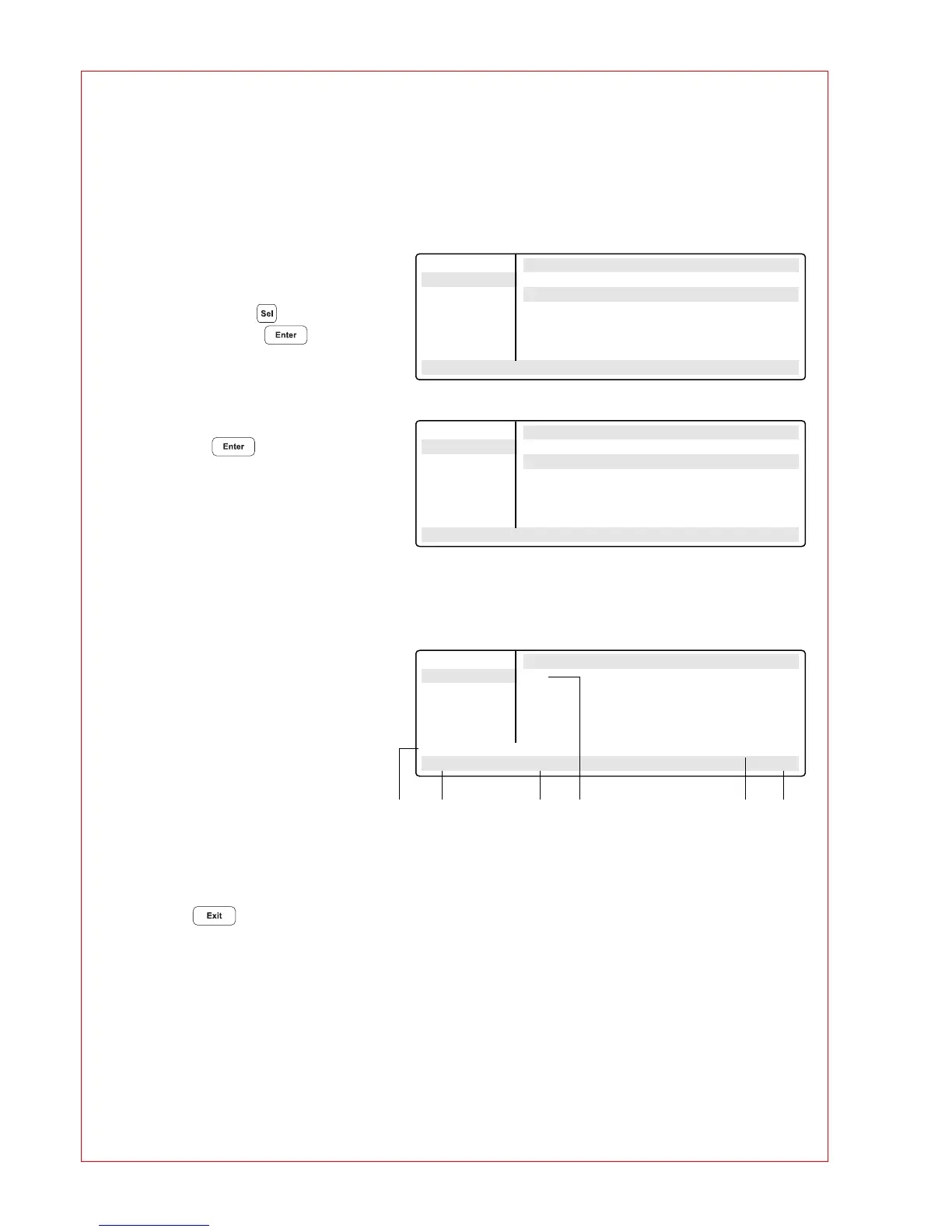
Main-Menu Run a Program:
Start CNTRL TUBE
FILES . . Tube: 0.2 ml
OPTIONS . .
Lid
Incubate
Enter Tube
22.0/25.0° Lid:105° 10:22:06
Main-Menu Run a Program:
Start CNTRL TUBE
FILES . . Fill.Vol.: 20 µl
OPTIONS . .
Lid
Incubate
STANDARD
22.0/25.0° Lid:105° 10:22:06
Main-Menu Run a Program:
Start 1 T=95.0° 0:00:05
FILES . .
OPTIONS . .
Lid
Incubate
Running/STANDARD Cyc:4
95.0/97.0° Lid:105° 10:22:06
2 3 4 5 6
1 Program flashes in alternation with "Running"
2 Nominal/actual block temperature
3 Lid temperature
(only when lid is switched on)
4 Program line number, program command
Example: Temperature command (T)
with nominal temperature and cycle length
5 Number of completed cycles
6 Time
1



 To Next Page