Operation
Mastercycler
®
nexus
English (EN)
39
5.4 Overview of software operation
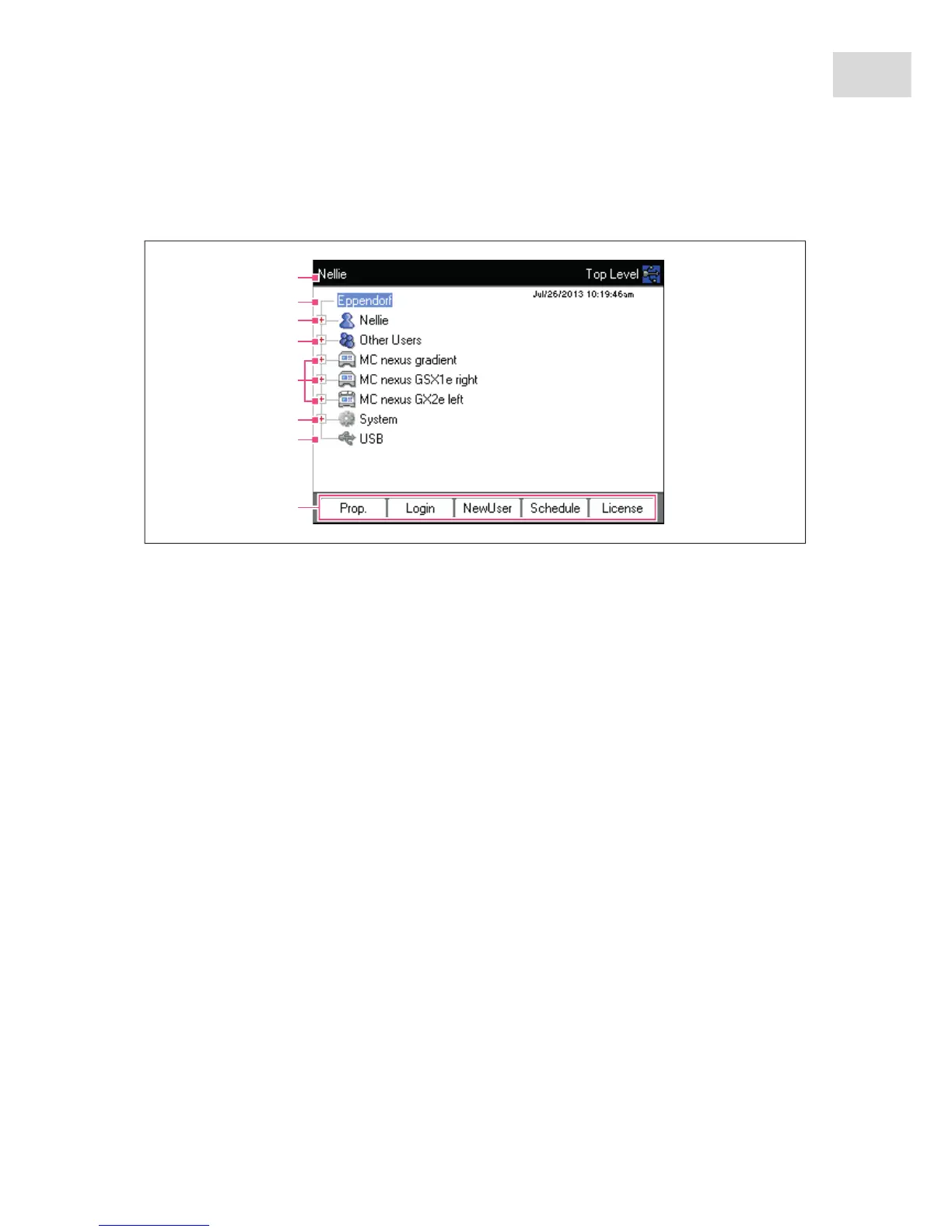
5.4.1 Navigation tree overview
1Window title
Current level in the navigation tree or title of a
dialog box.
2 Eppendorf node
The main node which contains all other nodes.
3 User node
Contains the programs and folders as well as the
list of the 5 most recently started programs of the
logged-in user.
4 Other Users node
Contains the nodes of the users that are not
currently logged in if PINs are used (see p. 70).
5Cycler node
Each cycler that is connected and switched on is
shown as a separate node. The cycler node can
be used to display the cycler status and execute
functions.
6 System node
This node contains the most important system
settings. Some settings can only be edited by the
administrator.
7 USB node
This node is only visible if a USB storage medium
has been inserted. Use this node to transfer
programs and perform data backups.
8Softkeys
The 5 softkeys have context-specific functions,
depending on the selected node or active
window.



 To Next Page