Operation
Mastercycler
®
nexus
English (EN)
41
5.4.3.2 Removing the USB storage medium
Caution! The symbol is displayed in the upper right corner while the storage medium is being accessed.
Wait until it has disappeared before removing the USB storage medium.
Remove the USB storage medium.
The USB node disappears from the navigation tree.
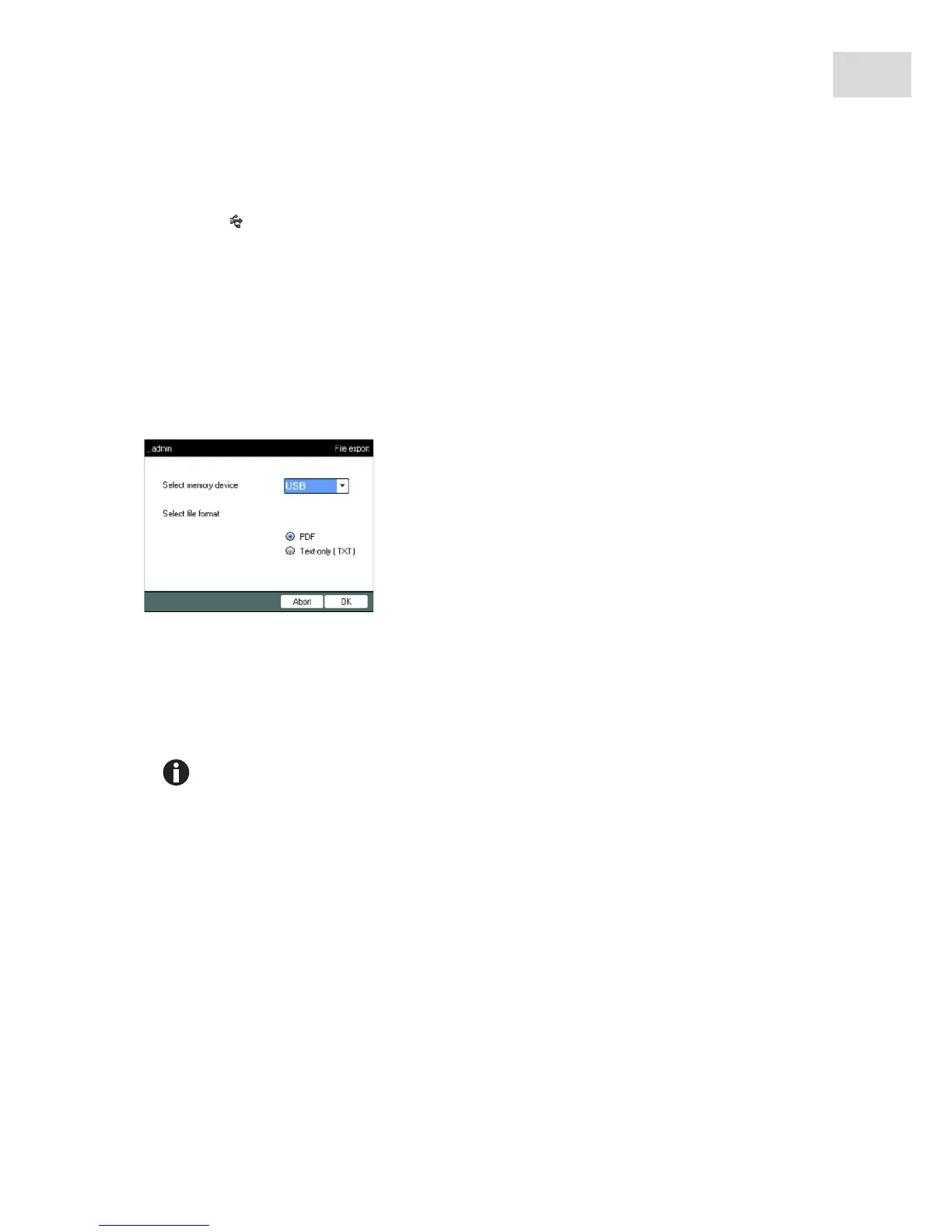
5.4.4 Selecting export file formats
When exporting programs, protocols and log files to external storage media, you can choose between
text-only format (.TXT) and PDF.
The file is copied to the external storage medium, and the file name is displayed.
5.5 Managing folders and programs
Select memory device
Storage medium for the exported file.
Select file format
• PDF: Saves the file as a PDF.
Use this setting if you only want to print or view the
documents on your PC. You need to have a PDF reader
software installed (e.g. Adobe
®
Reader
®
).
• Text-only (.TXT): Saves the file in text-only format (.TXT).
Use this setting if you want to process the document content
electronically (e.g. embed it in a report).
Confirm your selection with OK.
If you are logged in as a normal user (not as an administrator), you can only create, edit and
delete programs below your own user node. Further information on user rights can be found
in a separate section (see Administrator functions on p. 67).



 To Next Page