Operating Kit MMS 6950W Page 5
Software Installation
2.3 Reading and printing the Directions for use
For reading the English directions for use, click on „Documentation (english)" - the directory
with the English directions for use will be opened. The desired documentation can now be
opened with a double-click on the text line with the documentation name.
The directions for use are stored as PDF files and can be read and printed with the Acro-
bat reader. If no Acrobat reader is installed on the computer, it may be downloaded and
installed from the Internet. For this purpose click the yellow mark “Get Acrobat Reader” or
select the Internet address http://www.adobe.com/.
2.4 First start of the configuration program
After the installation procedure is completed, the configuration software can be started in the
following way:
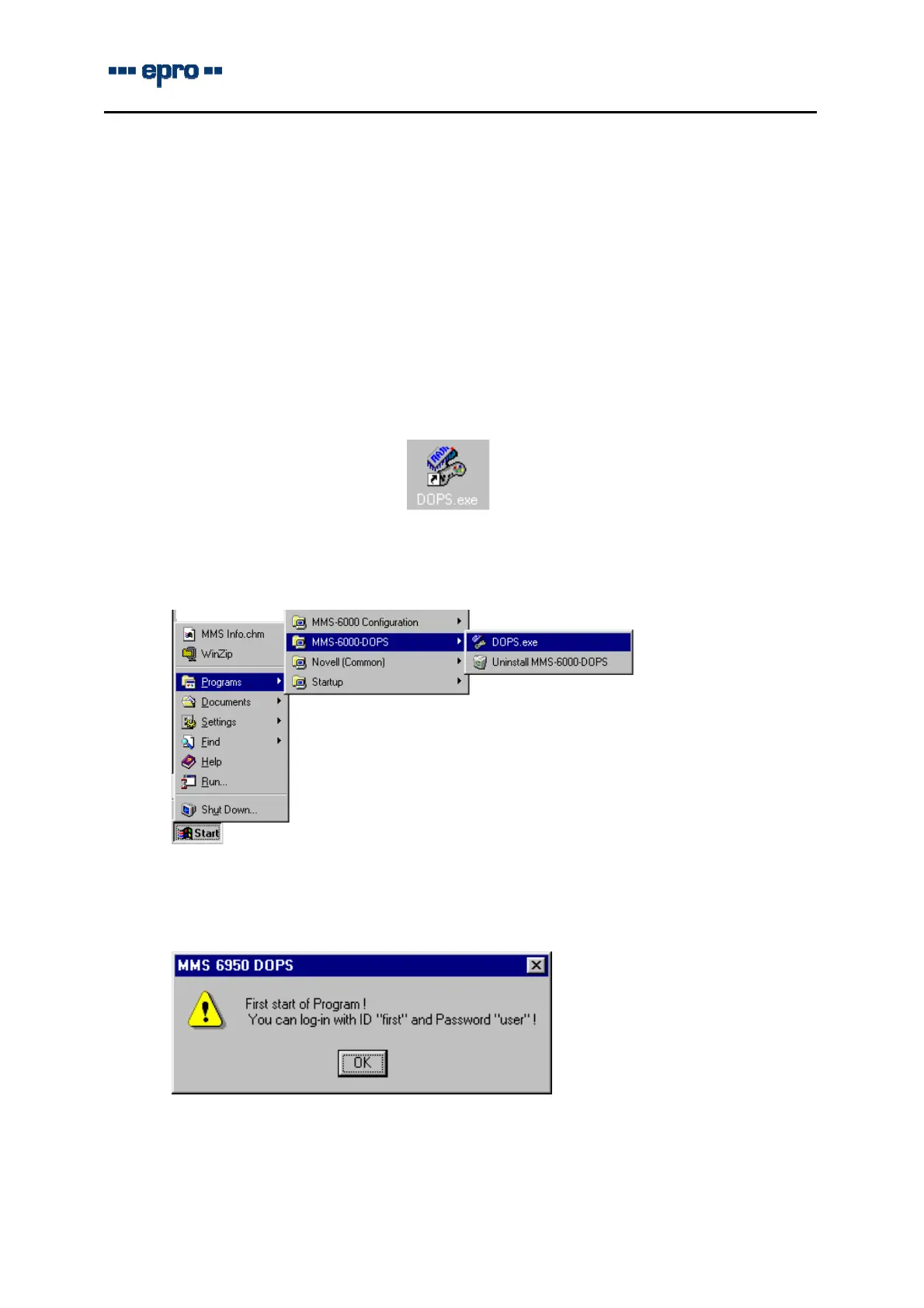
Double-click the icon of the configuration program on the desktop of your computer:
or
Choose Start > Programs > MMS 6000 DOPS > DOPS.EXE in the task-bar.
At the first log-in, user name, ID and password are not defined. For this reason the window
with ID and password for the log-in appears in the User – mode.
In the following dialog box “User Log-in” you must enter your identification and your pass-
word.



 To Next Page