4
Navigating Your Electronic Printer Manual
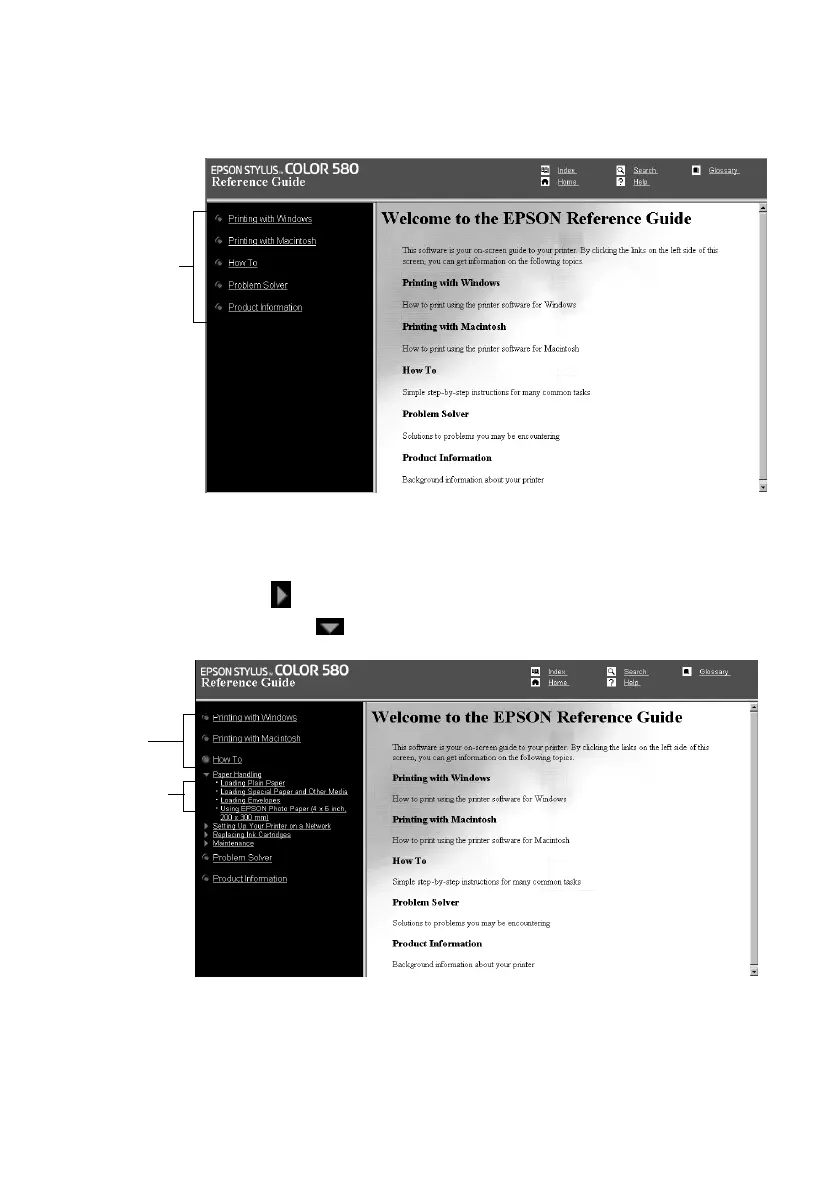
When you first open the Reference Guide, you see this screen:
Click a topic on the left to expand the table of contents. After expanding the table
of contents, you can click on the topic you want to view.
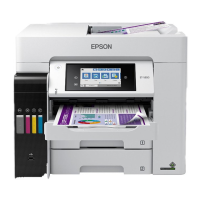
If there’s a right arrow , click it to view subtopics, then click on a topic to go
to it. Click the down arrow to close a subtopic list.
Click here to
expand the
table of
contents
Click to
expand
Click to go
to topic
Pbasics.book Page 4 Wednesday, August 9, 2000 10:26 AM



 To Next Page