6
Keep the following in mind when loading paper:
■
Load the printable side face up. It’s usually whiter or brighter than the other
side.
■
Load letterhead or preprinted paper into the printer top edge first.
■
Don’t load paper above the arrow on the left edge guide.
Opening the Printer Software
After you open your application program and create your document, you’re ready
to select your printer software settings.
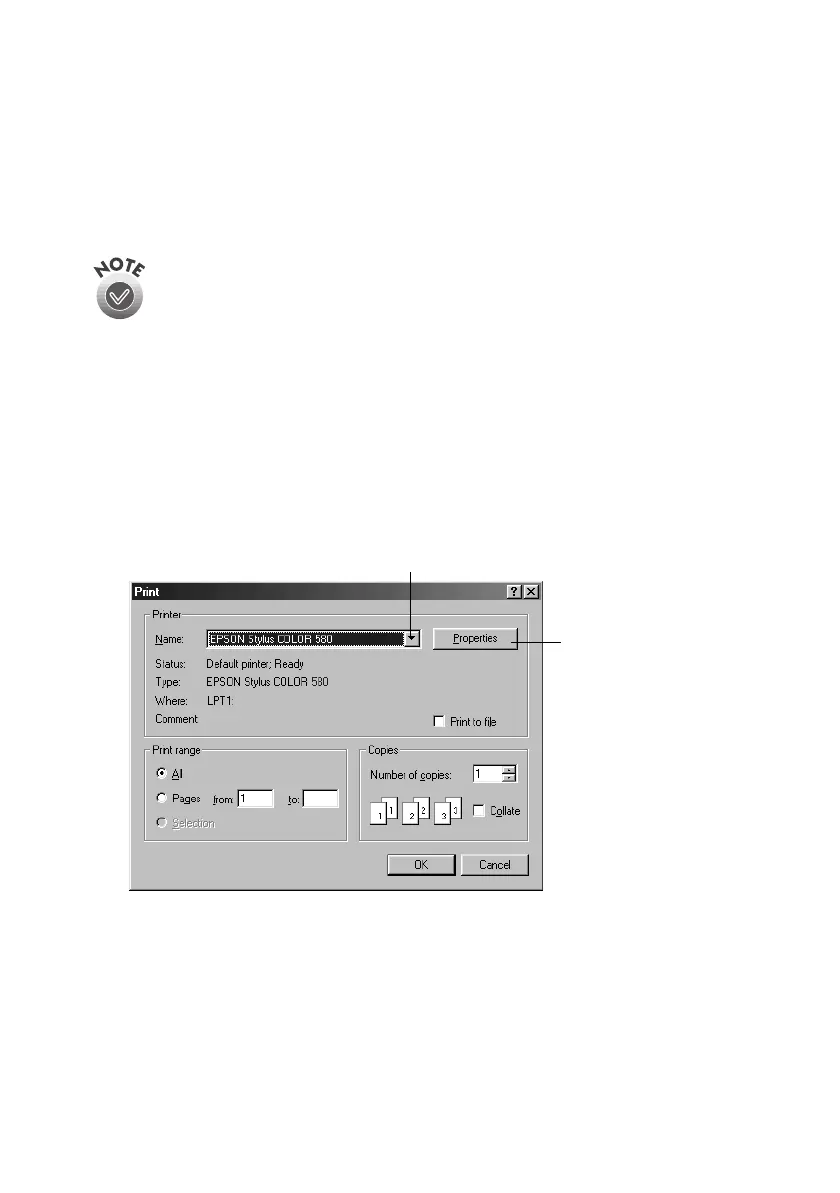
From the File menu, click
Print
. You see your application’s Print dialog box (your
dialog box may look slightly different):
I
If you’re printing on envelopes or other special paper sizes or types, see
page 16 for loading instructions.
Click here to open
your printer software
Select your printer here
Pbasics.book Page 6 Wednesday, August 9, 2000 10:26 AM



 To Next Page