23
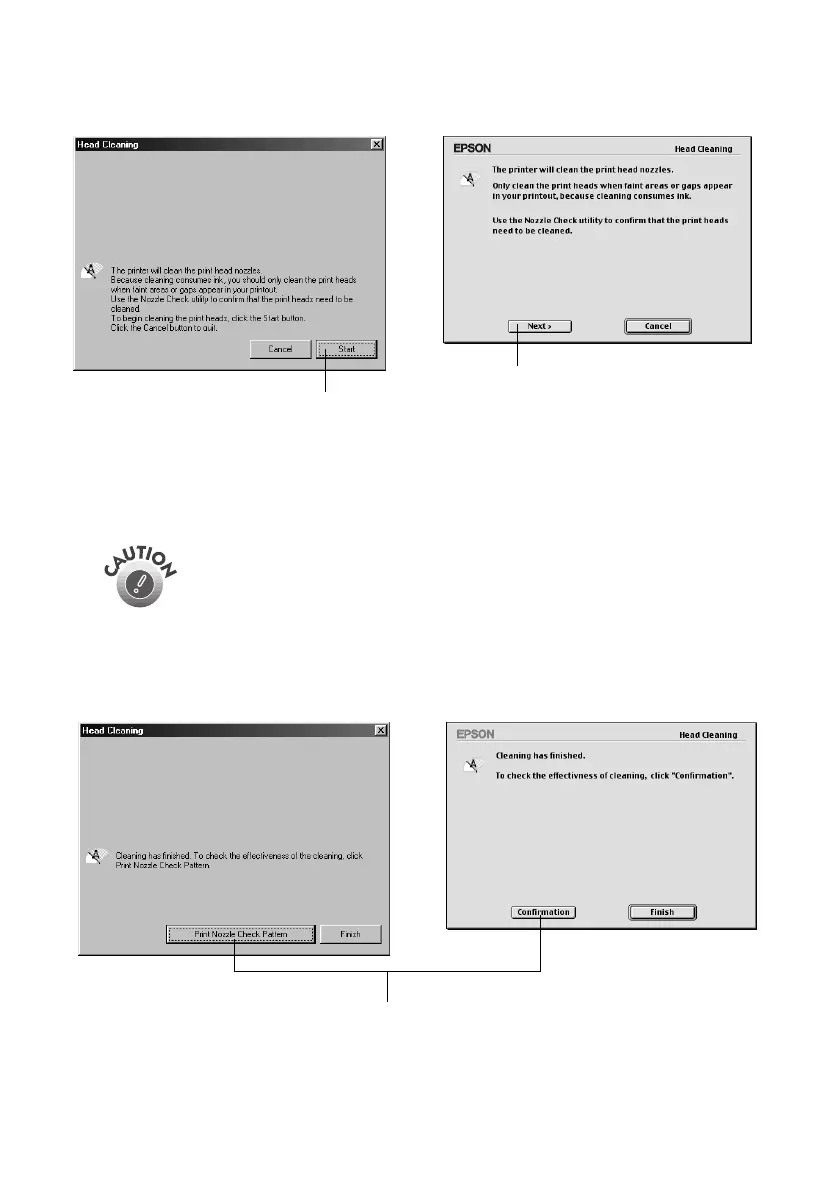
3. When the utility starts, you see this window:
4. Click
Start
(Windows) or
Next
(Macintosh) to start cleaning. Cleaning takes
about 30 seconds, during which the print head moves and the printer makes
some noise.
5. When cleaning is finished, run a nozzle check to confirm the print head
nozzles are clean.
Never unplug the printer while it’s cleaning the print head.
MacintoshWindows
Click Start
Click Next
ac
ntos
n
ows
Click to confirm the print head nozzles are clean
Pbasics.book Page 23 Wednesday, August 9, 2000 10:26 AM



 To Next Page